Htaccess Redirect Generator
An htaccess redirect generator is a tool that converts old and new URLs into Apache directives such as…
Generate clean Nginx return and rewrite rules for any redirect, from one page to a full domain move.

The free nginx redirect generator runs in your browser, needs no sign-up and never sends what you type anywhere.
This Nginx redirect generator writes return and rewrite rules for single pages, folders, bulk lists, domain moves, HTTPS and www. Rule of thumb: prefer return 301 over rewrite for simple redirects because it is faster and clearer, use exact location = matches for single URLs, and run nginx -t before reloading.
An Nginx redirect generator is a tool that turns old and new URLs into Nginx configuration such as location = /old/ { return 301 URL; }, rewrite rules with the permanent flag, or a map block for bulk lists. It escapes paths, keeps the query string where needed with $request_uri and outputs the status code you choose.
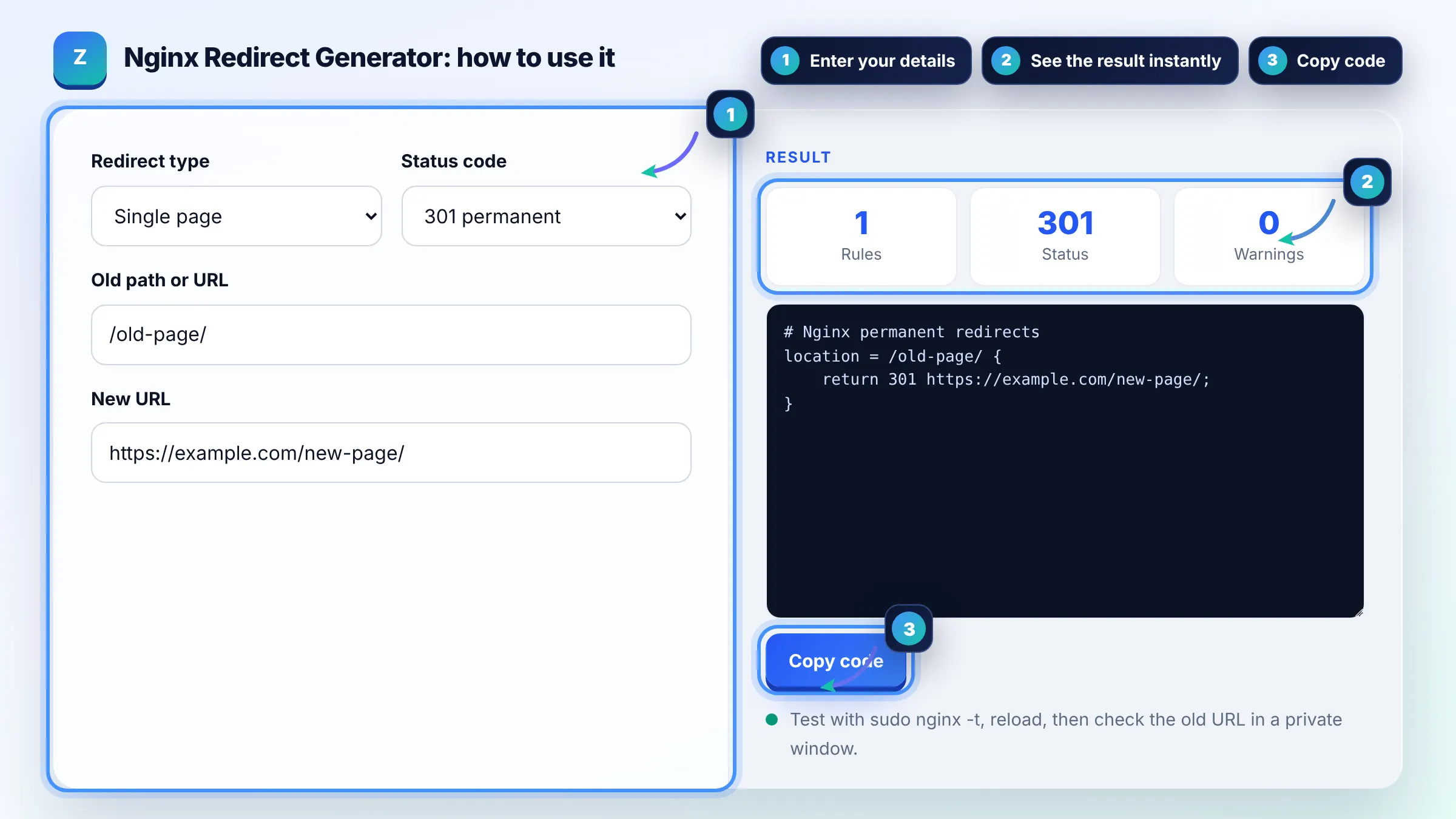
Use return for most redirects because it stops processing immediately and is easier to read. Use rewrite only when you need a regex capture, such as moving a folder while keeping the rest of the path. Both are covered in the Nginx rewrite module documentation.
Single page and folder rules go inside the server block for the site, usually in /etc/nginx/sites-available/ or /etc/nginx/conf.d/. A map block for bulk redirects must sit in the http context, outside any server block. Domain and HTTPS redirects usually get their own server block.
Use $request_uri, which contains the path and the query string, as in return 301 https://example.com$request_uri;. With rewrite, the original arguments are appended automatically unless you end the replacement with a question mark. This tool picks the right form for each mode.
| Goal | Nginx rule | Status |
|---|---|---|
| One exact page | location = /old/ { return 301 https://example.com/new/; } | 301 |
| Whole folder | rewrite ^/blog/(.*)$ /articles/$1 permanent; | 301 |
| Temporary page | location = /sale/ { return 302 https://example.com/offers/; } | 302 |
| HTTP to HTTPS | return 301 https://$host$request_uri; | 301 |
| Old domain | server_name old.com www.old.com; return 301 https://new.com$request_uri; | 301 |
Example: you move every post from /blog/ to /articles/. Folder mode with old /blog/ and new /articles/ outputs rewrite ^/blog/(.*)$ /articles/$1 permanent;. A request for /blog/seo-tips/?ref=x returns one 301 to /articles/seo-tips/?ref=x because rewrite keeps the query string.
Common causes are editing the wrong server block, a more specific location catching the request first, or forgetting to reload Nginx. Run nginx -t to test syntax, reload, then test in a private window, because browsers cache 301 redirects aggressively.
In a rewrite rule, the permanent flag sends a 301 and the redirect flag sends a 302. If the replacement starts with http://, https:// or $scheme, Nginx redirects even without a flag. The last and break flags rewrite internally and send no redirect.
Thousands. For large lists use a map block, because Nginx looks up map entries in a hash table, which stays fast as the list grows. Hundreds of separate location blocks work too but are harder to maintain.
Only for simple checks such as testing a map variable and returning. Complex logic inside if blocks is discouraged in Nginx because it can behave unexpectedly. The patterns in this tool use if only with return, which is the safe case.
No, the output is Nginx syntax only. Apache and LiteSpeed sites that use .htaccess files need our htaccess redirect generator instead. Planning a whole migration? Build a redirect map first so every old URL has a match.
No. The rules are generated in your browser with JavaScript and nothing is uploaded or stored. Always test the generated config on a staging server or with nginx -t before reloading production.
Facts checked against these official pages. Read how I check facts in my editorial policy.
An htaccess redirect generator is a tool that converts old and new URLs into Apache directives such as…
A canonical tag generator is a tool that builds the link rel="canonical" element telling search engines which…
A redirect map generator is a tool that builds the old URL to new URL table you need before a site migration.…
Send your website and I will check it for you, free.
One short email when something new goes live: articles, free SEO tools, package updates, discounts and price alerts. No spam, unsubscribe in one click.