Local Business Schema Generator
A local business schema generator is a tool that writes schema.org LocalBusiness structured data in JSON-LD.…
Set your weekly hours and holiday closures and get openingHoursSpecification JSON-LD that follows Google's own examples.
Times are local to the business. Nothing you enter leaves your browser.
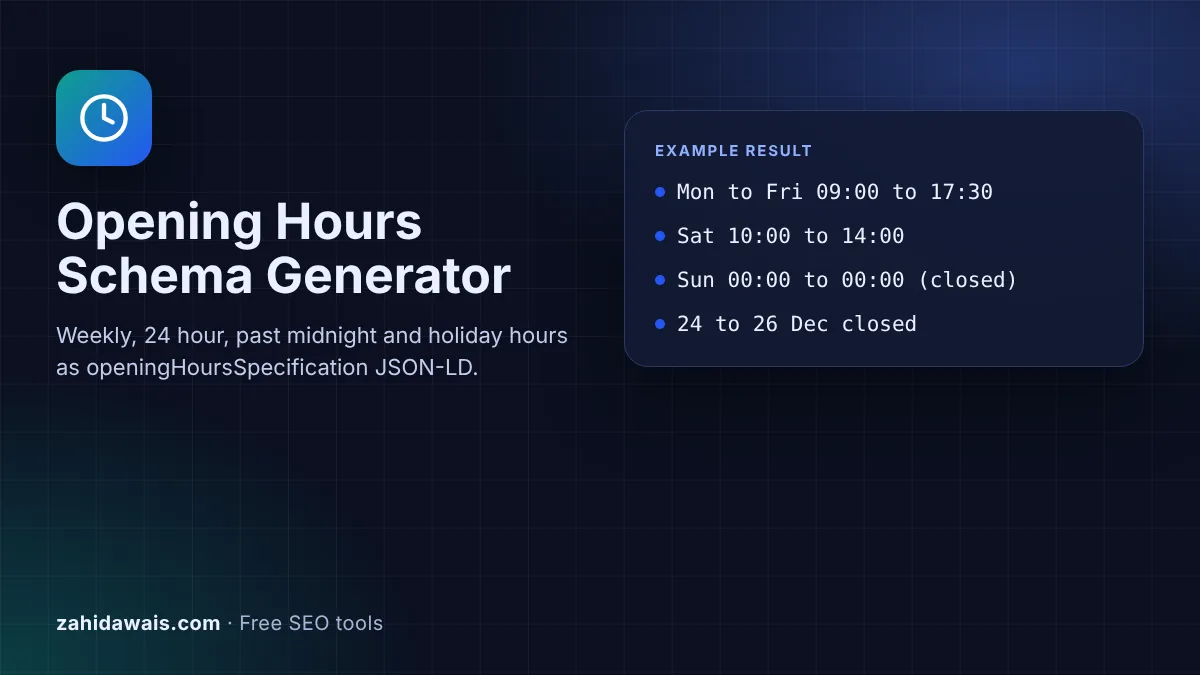
The free opening hours schema generator turns your weekly timetable and holiday closures into the openingHoursSpecification property for LocalBusiness structured data. It follows the formats in Google's local business documentation and works in your browser.
Opening hours schema is the openingHoursSpecification property of LocalBusiness structured data. Each entry lists days, an opens time and a closes time. Google documents special formats: 00:00 to 23:59 for open 24 hours, 00:00 to 00:00 for closed all day, and validFrom and validThrough dates for holiday hours.
Opening hours schema is the openingHoursSpecification property inside LocalBusiness JSON-LD. Each entry is an OpeningHoursSpecification with dayOfWeek, opens and closes, plus optional validFrom and validThrough dates for seasonal or holiday hours. Google's local business documentation lists it as a recommended property and shows each pattern this tool produces.
The property does not stand alone. It belongs inside a LocalBusiness block that also has the required name and address. If you do not have that block yet, build it with the Local Business Schema Generator and paste this output into it.
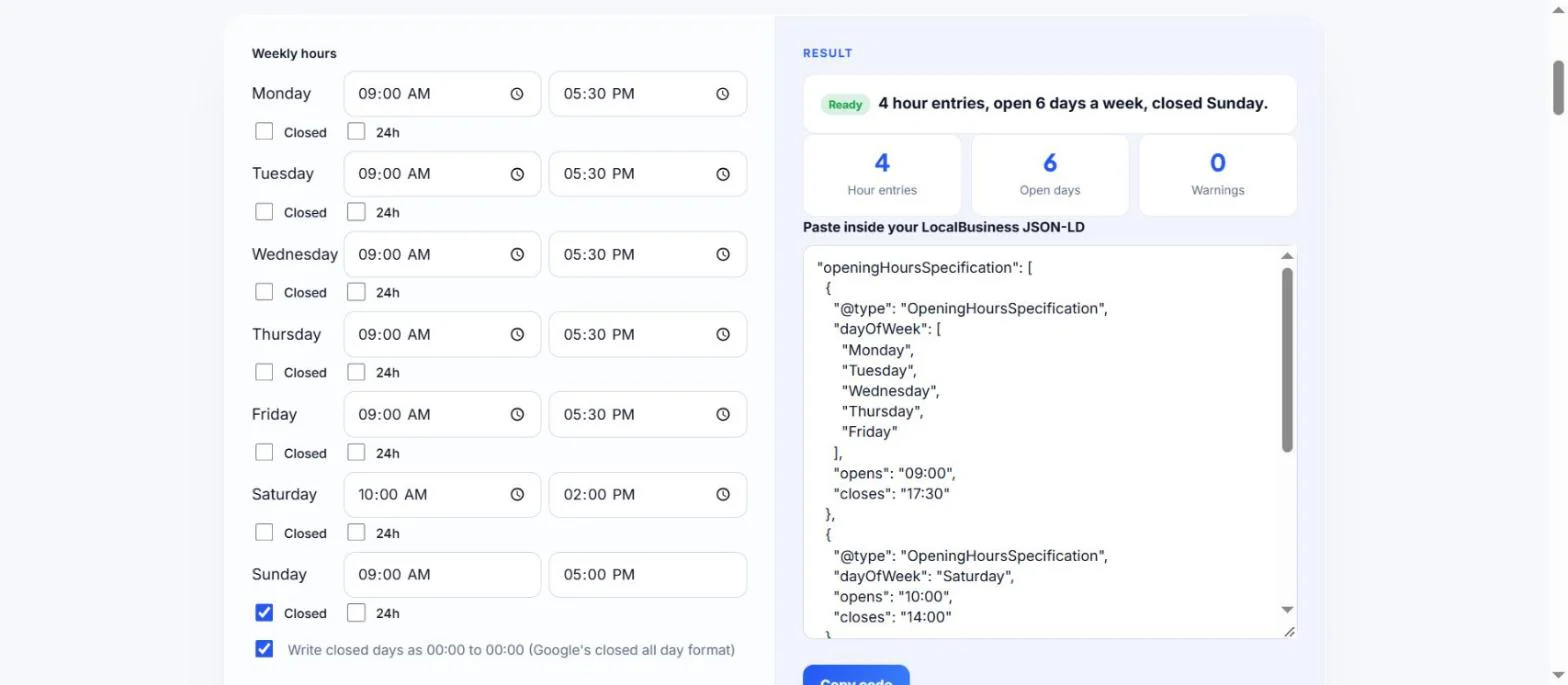
Set opens to 00:00 and closes to 23:59 for each day the business never closes. That is the format Google gives in its local business documentation. Tick the 24h box on any day and the tool writes those exact values. If several days are open 24 hours, they share one entry with all those days in the dayOfWeek list, which keeps the code short.
Add an extra OpeningHoursSpecification with validFrom and validThrough dates in YYYY-MM-DD format. For a closure, set opens and closes to 00:00. Google says that leaving out these two date properties means the hours are valid all year, so your normal weekly entries stay as they are. Remove old holiday entries after the dates pass, and change the visible hours on the page at the same time.
Not directly. The hours on Google Maps and in the business profile come from your Google Business Profile, which you edit there. Structured data tells Google what your website says, and Google's structured data guidelines say "Google does not guarantee that your structured data will show up in search results". Keep the hours on your website, your schema and your Business Profile the same so no source contradicts another.
| Situation | opens | closes | Extra properties |
|---|---|---|---|
| Normal day | 09:00 | 17:30 | dayOfWeek |
| Open 24 hours | 00:00 | 23:59 | dayOfWeek |
| Closed all day | 00:00 | 00:00 | dayOfWeek, or dates for a holiday |
| Closes after midnight | 18:00 | 03:00 | One entry for the whole night |
| Holiday closure | 00:00 | 00:00 | validFrom and validThrough |
| Seasonal hours | 10:00 | 14:00 | validFrom and validThrough |
Example: a shop opens 09:00 to 17:30 Monday to Friday, 10:00 to 14:00 on Saturday, is closed on Sunday and closes from 24 to 26 December 2026. With the default values, the tool outputs 4 hour entries: one for the 5 weekdays, one for Saturday, one marking Sunday as 00:00 to 00:00, and one holiday entry with validFrom 2026-12-24 and validThrough 2026-12-26. The counter shows 6 open days and 0 warnings. If you change Friday's closing time to 02:00, Friday moves into its own entry and a note confirms it is kept as one past midnight entry.
Google's property definition says hh:mm:ss, while every example on the same page uses hh:mm, such as 09:00. Both are valid times. This tool uses hh:mm to match the examples, and you can add :00 if your validator asks for seconds.
It is optional. Google documents 00:00 to 00:00 as the way to show a business closed all day, and the tool writes that by default. Untick the option if you prefer to leave closed days out of the code.
Yes. Add two entries for that day, for example 09:00 to 12:30 and 14:00 to 18:00. This tool builds one period per day, so add the second entry by copying an existing one and changing the times.
Paste it inside your LocalBusiness JSON-LD block, as one more property next to name and address. The output is a property, not a complete block, so it will not validate on its own without the surrounding object.
It may use them, but there is no guarantee. Google states it does not guarantee that features using structured data will appear. For Maps and the business panel, update the hours in your Google Business Profile as well.
No. Opening hours are written as local times for the business location. Search engines read them against the address in the same LocalBusiness block, so make sure the address is complete and correct.
Checked 22 Oct 2026. Facts checked against these official pages. Read how I check facts in my editorial policy.
A local business schema generator is a tool that writes schema.org LocalBusiness structured data in JSON-LD.…
Builds Service JSON-LD with provider, area served, service type and an optional price.
A Google review link generator is a tool that builds a direct review URL from a Place ID, the unique code…
Send your website and I will check it for you, free.
One short email when something new goes live: articles, free SEO tools, package updates, discounts and price alerts. No spam, unsubscribe in one click.