Htaccess Redirect Generator
An htaccess redirect generator is a tool that converts old and new URLs into Apache directives such as…
Build a complete Apache .htaccess file with HTTPS, caching, compression and security rules by ticking boxes.

The free htaccess generator runs in your browser, needs no sign-up and never sends what you type anywhere.
This htaccess generator builds a ready to paste Apache .htaccess file from simple toggles: HTTPS and www redirects in one hop, browser caching, gzip compression, hotlink protection, custom error pages and basic security headers. Rule of thumb: back up the old file first, keep redirects to a single 301 hop and test the site right after uploading.
An htaccess generator is a tool that writes per directory Apache configuration so you do not have to remember mod_rewrite, mod_expires, mod_deflate and mod_headers syntax. It combines the options you choose into ordered blocks, wraps module specific rules in IfModule checks so a missing module does not break the site, and merges HTTPS and www rules into one redirect.
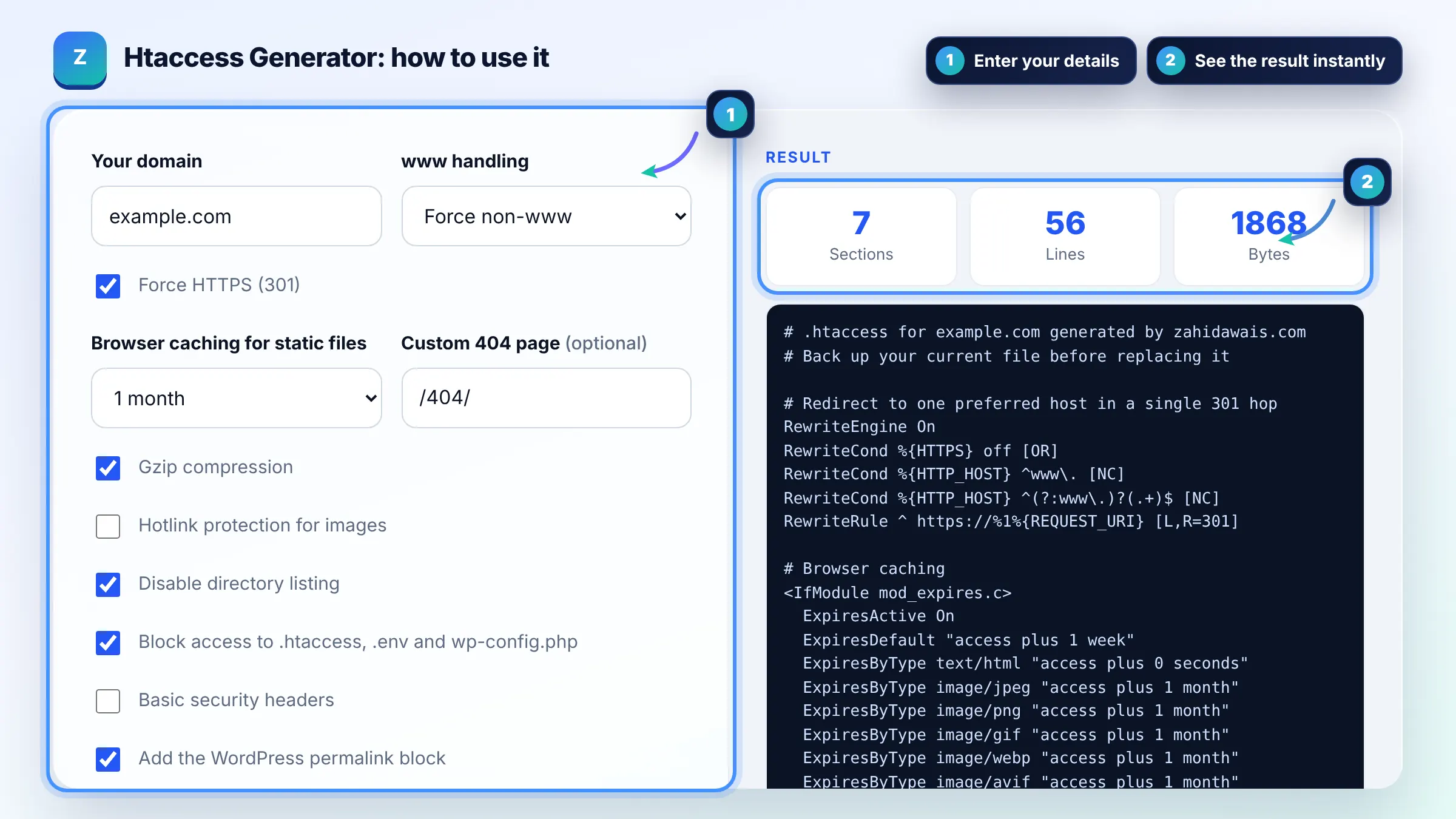
The main .htaccess file sits in your site root, usually public_html or www, next to index.php. It is hidden because the name starts with a dot, so enable show hidden files in your file manager or FTP client. Apache explains how these files work in its .htaccess tutorial.
A 500 Internal Server Error almost always means a syntax error or a directive your host does not allow. Restore your backup first, then add sections one at a time to find the faulty one. The IfModule wrappers in this tool reduce the risk when a module such as mod_headers is missing.
Yes, pick one version of your site, usually https with or without www, and 301 redirect every other version to it in a single hop. This avoids duplicate URLs and redirect chains. Make sure your canonical tags, sitemap and internal links use the same version.
| Option | Apache module | What it does |
|---|---|---|
| Force HTTPS and www | mod_rewrite | One 301 hop to your preferred host on https |
| Browser caching | mod_expires | Lets browsers reuse images, CSS and JS |
| Gzip compression | mod_deflate | Compresses text files before sending |
| Hotlink protection | mod_rewrite | Blocks other sites from embedding your images |
| Security headers | mod_headers | Adds nosniff, frame and referrer headers |
| Custom error pages | core | Shows your own 404 and 500 pages |
Example: for example.com with HTTPS, non-www, caching, gzip and the WordPress block, the generator writes about 50 lines. A request for http://www.example.com/blog/ gets a single 301 to https://example.com/blog/, and images are cached for the period you chose instead of being downloaded on every visit.
No. Nginx does not read .htaccess files at all, so these rules only work on Apache and LiteSpeed servers. On Nginx you add equivalent directives to the server block. Use our Nginx redirect generator for redirects on Nginx.
Apache checks for .htaccess files on every request when they are enabled, which adds a small overhead. If you control the server, the Apache docs recommend putting rules in the main config instead. On shared hosting, .htaccess is usually the only option and the cost is small.
For images, fonts, CSS and JavaScript, long cache times such as 1 year are safe when file names change on each update, like style.v2.css. If you overwrite files with the same name, choose 1 month so visitors get updates. HTML should not be cached long.
This tool allows referrers from Google and Bing so your images can still appear and open from image search. It also allows empty referrers, which covers direct visits and many privacy tools. Only other websites embedding your images are blocked.
Yes, if your site runs WordPress. WordPress needs its rewrite block for pretty permalinks, and it rewrites the section between BEGIN WordPress and END WordPress when you save permalinks. Put your custom rules above that block so they are not overwritten.
Yes. It is free with no sign up, and the file is generated entirely in your browser. Nothing you enter is sent to a server. Always keep a copy of your original .htaccess before replacing it.
Facts checked against these official pages. Read how I check facts in my editorial policy.
An htaccess redirect generator is a tool that converts old and new URLs into Apache directives such as…
A robots.txt generator is a tool that writes the plain text file crawlers read at the root of your site…
A meta robots tag generator is a tool that writes the meta name="robots" element and the equivalent…
Send your website and I will check it for you, free.
One short email when something new goes live: articles, free SEO tools, package updates, discounts and price alerts. No spam, unsubscribe in one click.