
E-commerce SEO
Duplicate Product Descriptions: Do They Hurt Your SEO?
Copying the manufacturer's text is normal, but it gives Google no reason to pick your page. Here is how to fix that efficiently.
Read articleFilters help shoppers but can create millions of crawlable URLs. Here is how to keep the useful ones and block the rest.
This guide shows you how to handle faceted navigation SEO on a store or listing site: which filter URLs deserve to be indexed, which should never be crawled, and how to set it up without breaking navigation.
Good faceted navigation SEO means choosing a small set of filter pages that match real searches, making them clean and indexable, and blocking every other filter combination from crawling, usually with robots.txt. Canonical tags and nofollow help a little, but Google calls them weaker long term signals.
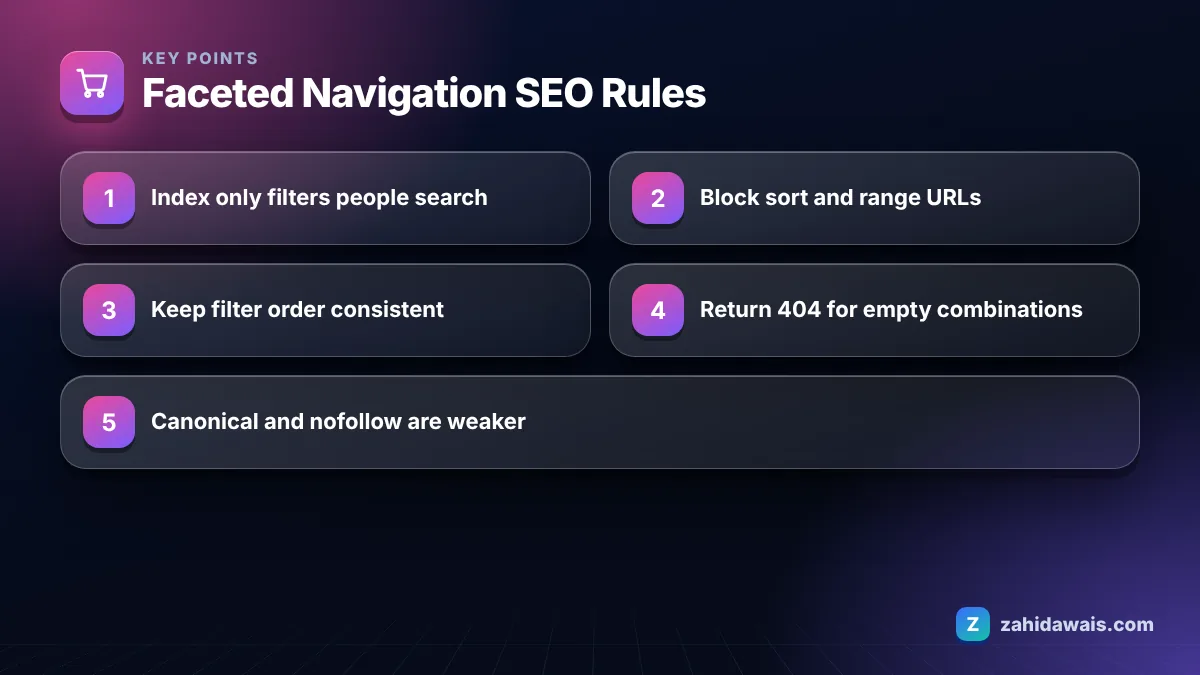
Faceted navigation is the set of filters on a category or search page, such as size, colour, brand, price and rating, that changes which items are shown, usually by adding parameters or path segments to the URL. For shoppers it is essential. For search engines it can be a trap.
The trap is multiplication. A category with 6 colours, 8 sizes, 10 brands and 4 price bands can produce thousands of combinations before you add sorting and pagination. Each one is a URL that Googlebot can find and request, yet most of them show nearly the same products.
Google treats this as a crawling problem first. Its documentation on managing crawling of faceted navigation URLs explains that these URLs can consume crawl resources and slow the discovery of new, useful pages.
Only a few filter pages should be indexed: those that match a real search query and show a meaningfully different set of products. Everything else should stay out of the crawl.
A practical test I use in audits is the “would someone type this?” rule. “Black leather boots” is a real query and a black plus leather filter on a boots category answers it well. “Boots, size 7, rating 4 plus, sorted by newest, page 3” is not a query anyone types, so that URL has no reason to exist in search.
When a filter combination does deserve to rank, treat it like a proper landing page:
Many stores find it cleaner to turn their best filter combinations into real subcategories. If your e-commerce SEO plan already includes a category review, this is the moment to decide which facets graduate into permanent pages.
The most reliable way to stop Google crawling filter URLs is to disallow them in robots.txt, because a URL that is never requested cannot waste crawl resources. Google’s faceted navigation guidance recommends this when the filtered URLs do not need to appear in search.
Keep the limits of robots.txt in mind. Google’s introduction to robots.txt states that it is mainly for managing crawler traffic and is not a mechanism for keeping a page out of Google. A blocked URL that has links pointing to it can still appear in results, just without a description. For filter URLs that is rarely a real problem, but it means you should not combine a robots.txt block with a noindex tag and expect both to work: Google cannot see a noindex tag on a page it is not allowed to crawl.
A typical setup blocks the parameters you never want crawled while leaving clean category paths open. For example, if your platform uses “sort”, “price” and “size” parameters, rules such as these are a common starting point:
Disallow: /*?*sort= blocks every sorted version of a listing.Disallow: /*?*price= blocks price ranges and slider values.Disallow: /*?*size= blocks size filters that rarely match a search on their own.Adjust the patterns to your own URL format, and keep the brand or colour pages you chose to index on clean paths that these rules do not touch.
Before you deploy a new rule, paste a few sample filter URLs into my robots.txt tester to confirm the pattern blocks what you intend and nothing more.
Each control does a different job, so the right choice depends on whether you want the URL crawled, indexed, or neither. This table summarises how I match methods to filter types.
| Filter type | Goal | Recommended control | Notes |
|---|---|---|---|
| High demand facet (brand, main colour, material) | Crawl and index | Clean URL, self canonical, sitemap | Add unique title and intro text |
| Sort order (price, newest, popular) | No crawl | robots.txt disallow on the sort parameter | Sorting never changes which products exist |
| Multi-select combinations | No crawl | robots.txt disallow, or fragments (#) | Combinations grow fastest |
| Price sliders and ranges | No crawl | robots.txt disallow or fragments | Endless number of possible values |
| Empty or impossible combinations | Not found | Return HTTP 404 | Do not redirect to a generic error page |
| Already crawled duplicates you cannot block yet | Consolidate | rel=”canonical” to the clean category | Slower, weaker signal |
A note on fragments: Google says filters held in the URL fragment (after the # sign) generally have no effect on crawling, because Google Search does not generally support fragments in crawling and indexing. That makes fragments useful for filters you never want crawled, as long as the page works for users.
Take a fashion store with 40 categories. Each category offers colour (12 options), size (10), brand (25), price band (5) and 4 sort orders, and shoppers can select multiple values. Even counting only single selections plus sort, one category can reach 12 x 10 x 25 x 5 x 4 = 60,000 URL combinations, or 2.4 million across the store, against roughly 3,000 real product pages.
The cleanup keeps 40 categories plus about 120 chosen brand and colour pages as indexable URLs. Sort, size, price and every multi-select combination get disallowed in robots.txt, and empty combinations return 404. The crawlable footprint drops from millions of possible URLs to a few thousand that all have a purpose.
The most common mistake is adding noindex to filter pages and assuming that fixes crawling, when Google still has to crawl each URL to see the tag. Google’s guide to blocking indexing with noindex is clear that the page must be crawlable for the rule to be seen, so noindex controls indexing, not crawl volume.
Other patterns I see repeatedly in store audits:
Faceted navigation work sits between crawling, indexing and site architecture, which is why I usually handle it as part of a technical SEO project rather than a single template change. Start with your server logs or the Crawl stats report in Search Console to see how much crawling goes to parameter URLs today, then decide which filters earn a place in the index.
It can. Many filter combinations show nearly identical product lists on different URLs. Google usually picks one version to show, but the bigger cost is crawling, because Googlebot may spend time on thousands of near duplicate URLs instead of your new products and categories.
No. Noindex keeps a page out of results, but Google must still crawl the URL to see the tag, so crawl waste continues. Use robots.txt to stop crawling of filters you never want in search, and keep noindex for pages that must stay crawlable.
Canonical tags can help consolidate duplicates, and Google says they may reduce crawling of non-canonical versions over time. They are a weaker signal than blocking, so treat them as a supporting measure rather than the main fix for large filter sets.
Be careful. If a filter URL brings real search traffic, blocking it in robots.txt stops Google from recrawling it. Turn it into a proper landing page or a subcategory first, then block the remaining combinations that have no search value.
No. Sorting changes the order of the same products, not which products exist, so sort URLs add no unique content. Disallowing the sort parameter in robots.txt is one of the safest and most effective faceted navigation fixes.
Check the Crawl stats report in Search Console and your server logs for requests to parameter URLs. If a large share of Googlebot requests go to filter and sort URLs while new products are discovered slowly, faceted navigation is likely the cause.
Facts checked against these official pages. Read how I check facts in my editorial policy.
Copying the manufacturer's text is normal, but it gives Google no reason to pick your page. Here is how to fix that efficiently.
Read article
Search Console flags missing fields in Product markup constantly. Some block rich results, most do not. Here is how to tell them apart.
Read article
Shoppers often search with their eyes first. These nine tips help your product photos get found, understood and clicked.
Read articleSend your website and I will reply with a free audit.