Google Search Console errors
Page Indexed Without Content: Why It Happens and How to Fix It
What it means when Google indexes a URL but cannot read the page, how to see what Googlebot received, and how to fix it.
Read articleWhat each parsing error in the report means, how to trace it back to one template, and how to test and validate the repaired markup.
This guide shows you how to read the unparsable structured data report in Google Search Console, what each parsing error means in plain English, and how to fix the template that usually causes it. When I check schema for clients, one broken plugin setting or a stray quote in a custom field is behind most of these reports.
Unparsable structured data means Google found structured data on your pages that it could not read because of a serious syntax error, such as a missing comma, brace or colon in JSON-LD. Google cannot use that markup at all. Find the broken template, fix the syntax, test with the Rich Results Test and click Validate fix.
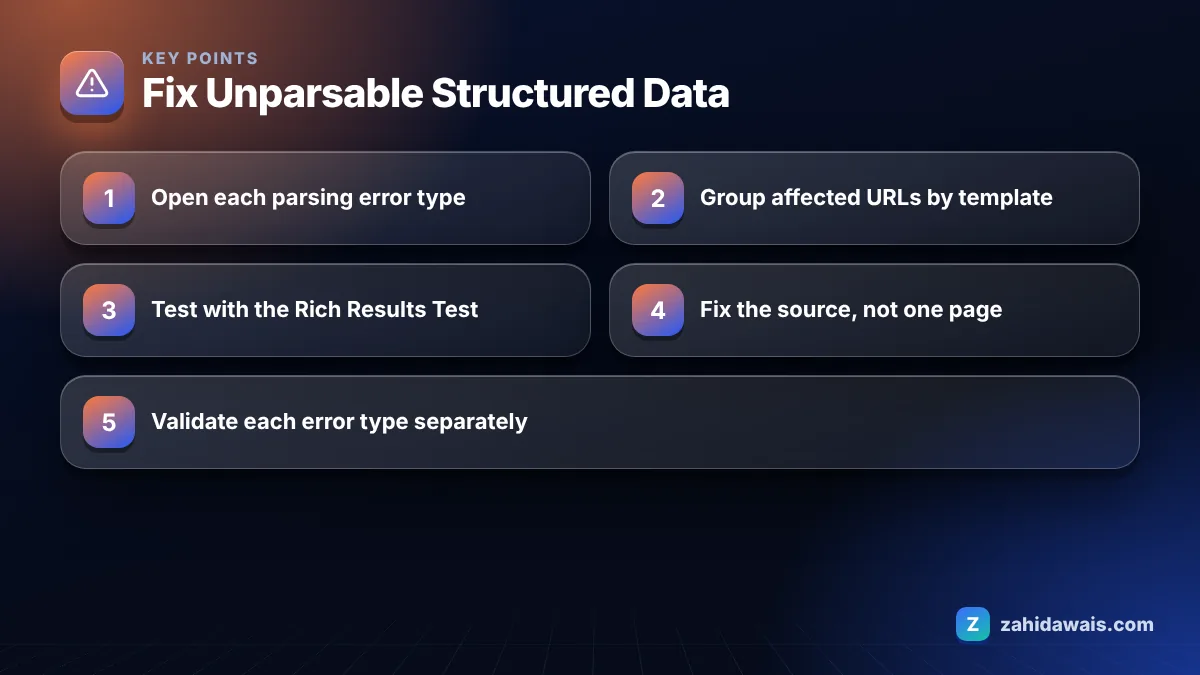
It means Google found structured data on your site that it could not parse because of a serious syntax error, so the markup is ignored instead of being checked for rich result eligibility. That is how Google’s Unparsable structured data report help describes it.
This is different from the rich result reports such as Product or Breadcrumb, which flag missing or invalid properties in markup Google could read. Here the problem is earlier: the code is not valid JSON, Microdata or RDFa, so Google cannot even tell what type of item it is.
That also means these errors can hide other problems. Once the syntax is fixed, the markup may start appearing in the normal rich result reports with its own warnings, so check those reports again after the fix.
Google’s help also notes that when the same error appears on many pages, the cause is usually a template error. That matches what I see. You rarely fix these one page at a time.
You fix “Parsing error: Missing ‘,’ or ‘}'” by finding the line where one property ends and the next begins without a comma, or where an object is not closed, and adding the missing character. Most JSON-LD errors are one character out of place.
This reference table lists the errors I see most often, with the usual real cause:
| Error in the report | Typical real cause | Fix |
|---|---|---|
| Parsing error: Missing ‘,’ or ‘}’ | No comma between two properties, or an unclosed object | Add the comma or closing brace |
| Parsing error: Missing ‘:’ | Property name with no colon before its value | Add the colon |
| Parsing error: Missing ‘}’ or object member name | Trailing comma after the last property | Remove the trailing comma |
| Missing ‘,’ or ‘]’ in array declaration | Array items without commas, often in sameAs or image lists | Separate items with commas |
| Bad escape sequence in string | A backslash in text, such as a Windows path or regex | Escape it as \\ or remove it |
| Invalid JSON document | A top level syntax problem, such as HTML or stray text pasted inside the script block | Leave only valid JSON inside the script tag |
| Duplicate unique property | Two @context values in one object, often from merging two plugins’ output | Keep one |
| Incorrect value type | Text where a number or array is expected | Use the correct type |
Unescaped quotes from user entered content are the classic trap. A product name such as a 12″ pizza, review text or FAQ answer containing a double quote breaks the whole JSON block if the plugin or theme does not escape it. The quote ends the string early, so Google then reports a missing comma or brace on that line even though the real fault is the quote.
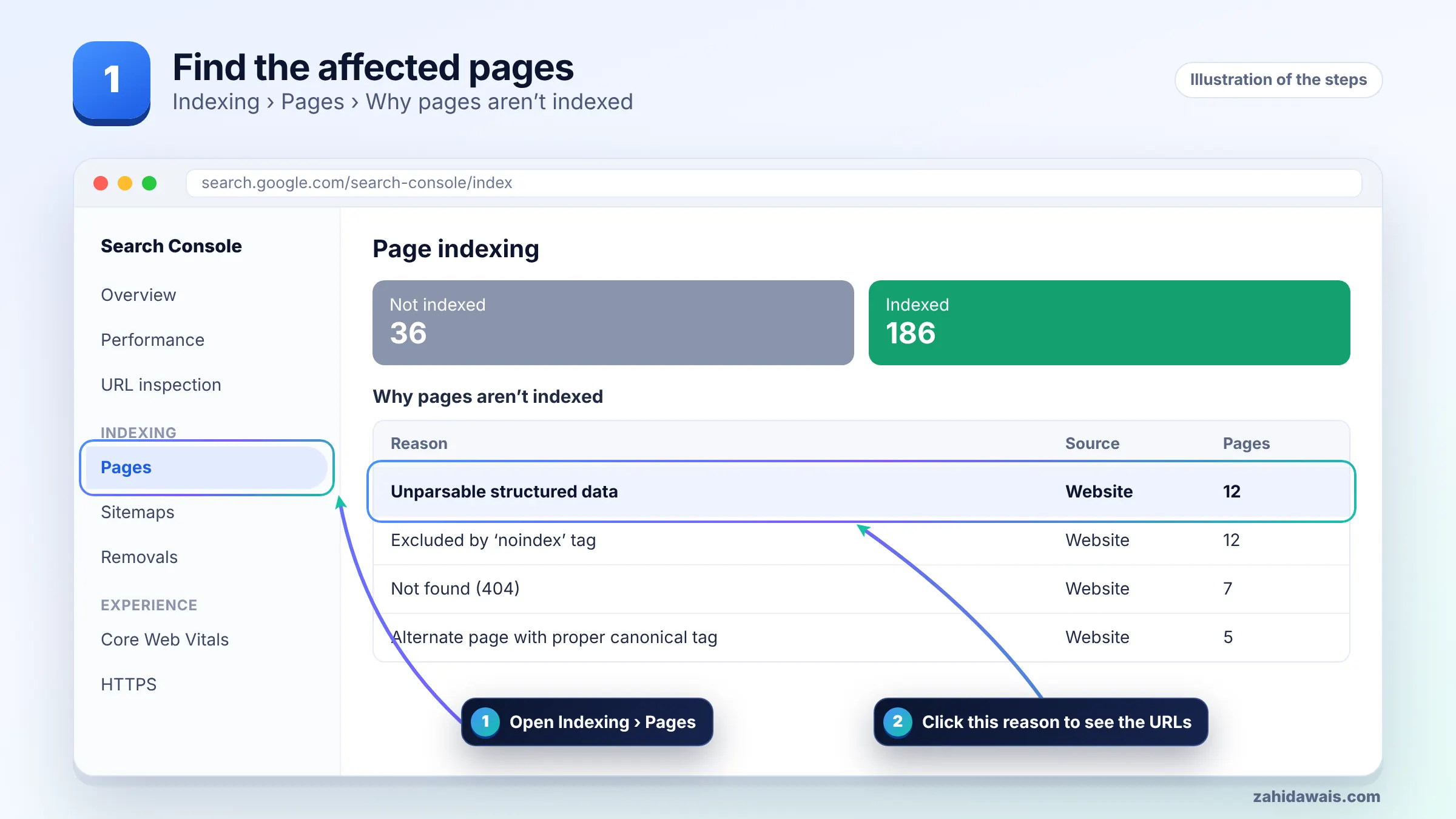
You fix it by finding which template produces the broken markup, correcting the syntax at the source, and testing the output before asking Google to recheck. Follow these steps.
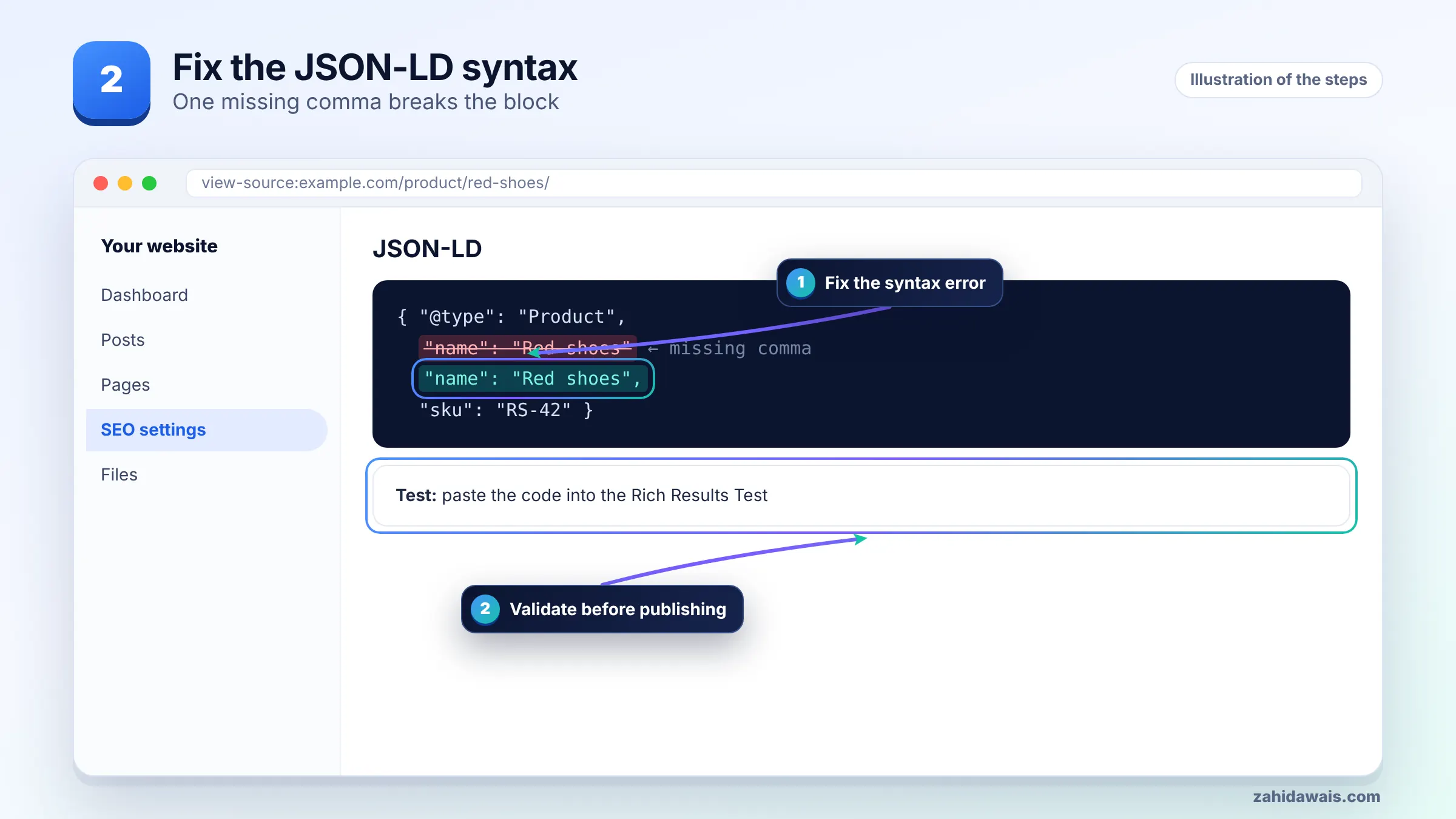
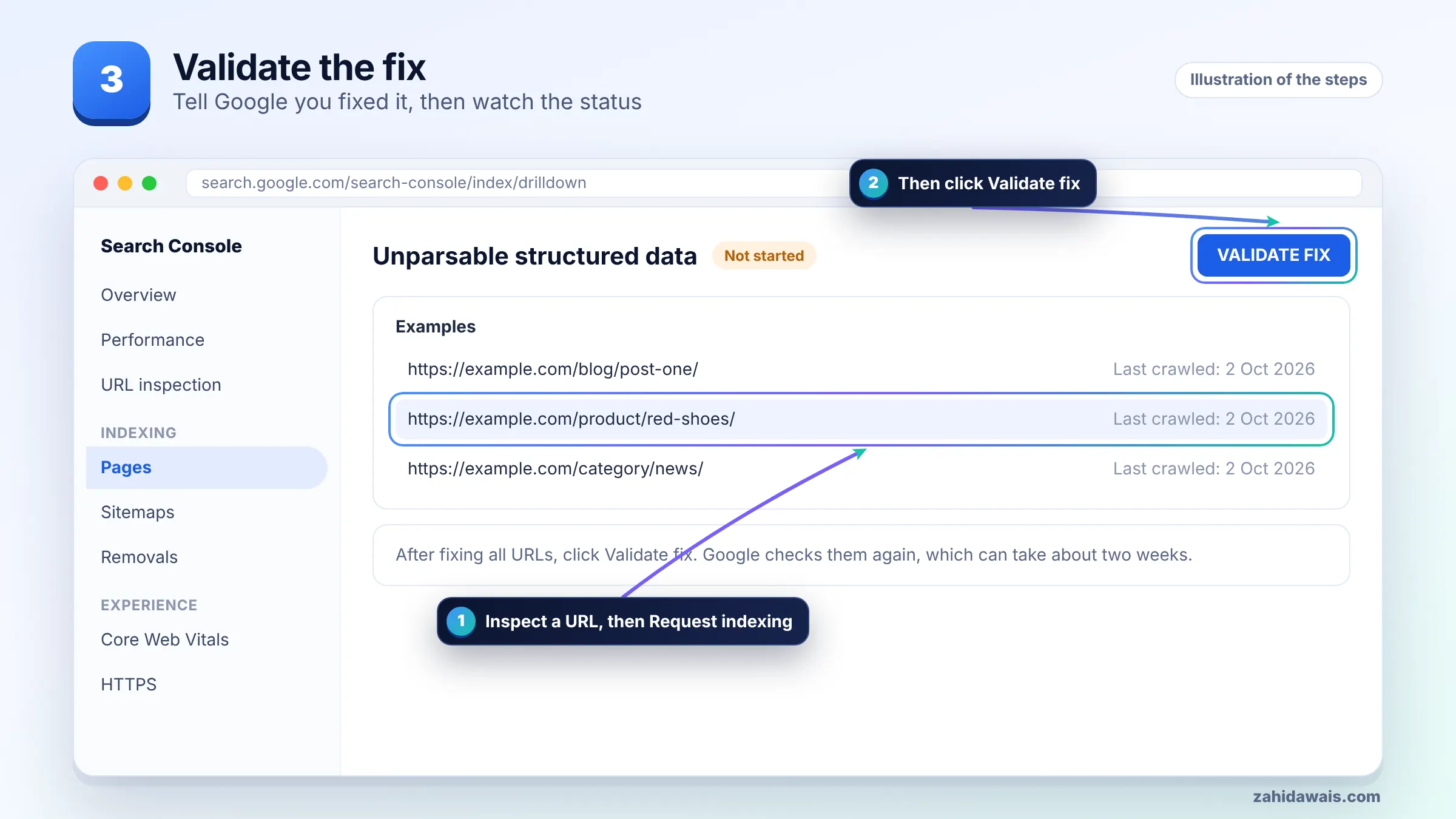
If you write markup by hand, generating it with a tool reduces typing errors. My free FAQ schema generator, for example, outputs JSON-LD with quotes already escaped.
You test structured data before Google crawls it with the Rich Results Test, which accepts either a live URL or a pasted code snippet, and with the live test in URL Inspection. Google’s structured data general guidelines name both tools for checking compliance.
Pasting the code snippet is the fastest way to test a template change before it goes live. Once deployed, test the real URL too, because plugins, caching or minification can change the output.
Keep expectations realistic. Valid markup makes a page eligible for rich results, but Google states it does not guarantee that structured data will show up in search.
You validate by confirming a clean result in the Rich Results Test for each template, then clicking Validate fix on each error type in the Unparsable structured data report. Each error type is validated separately.
A typical case, for illustration: a recipe blog shows “Parsing error: Missing ‘,’ or ‘}'” on 140 posts. The Rich Results Test points to the description line. The recipe plugin printed "description": "The best 9" cake tin brownies", where the inch mark ends the string early and leaves stray text.
Only 140 of 600 posts are affected, and all of them mention a tin size in inches. The fix was in the plugin’s output escaping, after which the value became "9\" cake tin brownies". One update repaired all 140 pages, the Rich Results Test came back clean, and validation was started once for that error type.
Schema work is part of my content and media SEO service, and for other report types see the Search Console errors guide.
It means Google found structured data on your pages that it could not parse because of a serious syntax error. Google ignores that markup, so it cannot be checked for or used in rich results until the syntax is fixed and Google recrawls the page.
In JSON-LD, the most common causes are a missing or extra comma, an unclosed brace, or an unescaped double quote inside a value. When many pages show the same error, Google notes the cause is usually a shared template.
Open the error in the Unparsable structured data report to see example URLs and the flagged line, then run a URL through the Rich Results Test. For long blocks, remove properties and add them back one by one until the error returns.
Structured data is used for rich results, not as a direct ranking fix, so the main loss is eligibility for rich results on the affected pages. Google does not guarantee rich results even for valid markup, but broken markup cannot qualify at all.
Google names the Rich Results Test and the URL Inspection tool for checking structured data. The Rich Results Test accepts a URL or a pasted code snippet, which lets you test template changes before you publish them.
Google says validation typically takes up to about two weeks and can take longer. Validate each error type separately, and do not click Validate fix again on the same issue until the current validation passes or fails.
Facts checked against these official pages. Read how I check facts in my editorial policy.
What it means when Google indexes a URL but cannot read the page, how to see what Googlebot received, and how to fix it.
Read article
Why Google can index a URL it is not allowed to crawl, and the two clean ways to resolve the warning depending on your goal.
Read article
Why Google ignores the canonical you set, how to read its choice in URL Inspection, and how to line up every signal so it agrees.
Read articleSend your website and I will reply with a free audit.