
Local SEO
Google Business Profile Edits Pending: Why It Happens and How to Fix It
Pending edits are a review, not an error. Here is how to get them accepted faster and stop Google overwriting them.
Read articleWork out who owns each listing first, then merge, claim or remove it without losing your reviews.
This guide shows you how to find a duplicate Google Business Profile, decide whether to merge it, claim it or remove it, and do it without losing the reviews you worked hard to earn.
To fix a duplicate Google Business Profile, first work out who owns each listing. Remove a duplicate you created by mistake, claim an unverified one, request access to one owned by someone else, and ask Google to merge two listings of the same business through a suggested edit on Maps. Never delete the profile with your reviews.
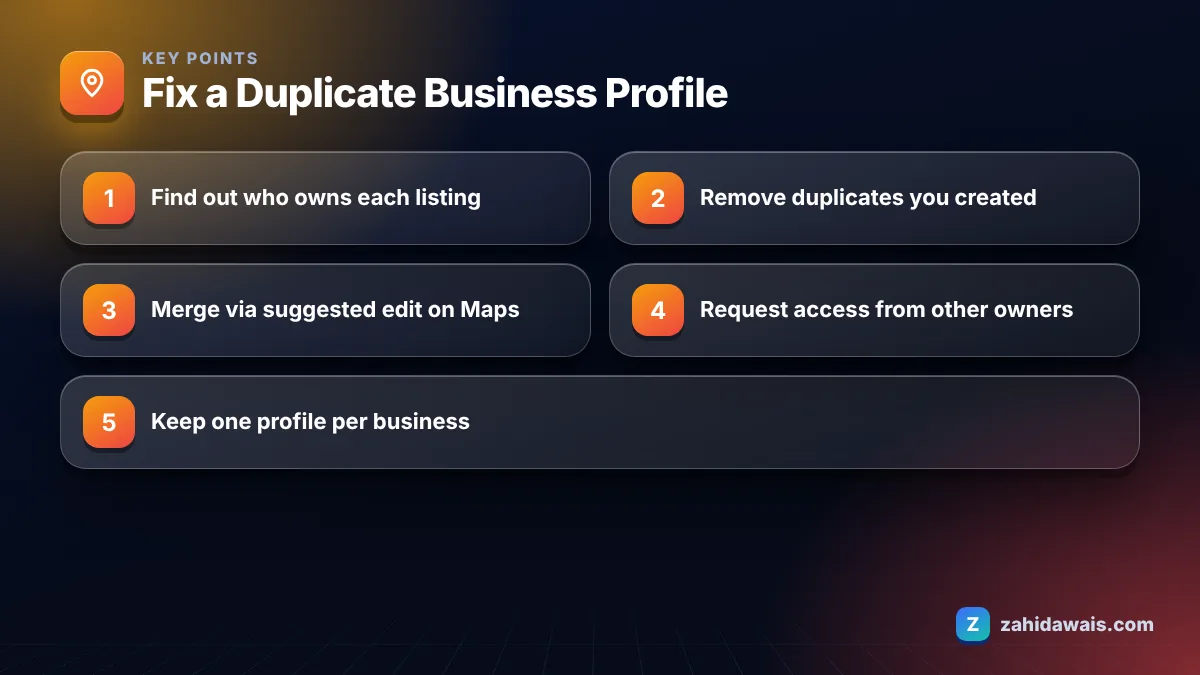
A duplicate appears when Google has more than one listing for what it thinks is the same business. Google’s help page on resolving duplicate profiles and ownership issues names three triggers: an existing verified profile for the same business, multiple profiles sharing an address, and multiple profiles offering different services.
In the audits I run, duplicates usually come from ordinary events rather than bad intent:
Google is clear about the rule. Its guidelines for representing your business say there should only be one profile per business, and you should not create more than one page for each location, in one account or several.
You find duplicates by searching Google Maps the way customers and old records would, not only by your current name. Most owners search once, see their own profile and stop, which is how duplicates survive for years.
This is the search routine I run in every local audit:
Write down each listing you find with its name, address, phone, review count and whether it shows as verified. That simple list makes the decision in the next sections much easier, and it stops you deleting the wrong one by mistake.
Yes. Google says duplicates are hidden from Search and Maps, so customers may see the wrong one, and reviews, photos and calls get split across listings. Google’s sign up help also warns that your account may be suspended if it finds multiple profiles for the same business in the same metropolitan area.
There is also a quieter cost. Local ranking depends partly on prominence, and Google’s page on improving local ranking says reviews feed into it. Forty reviews split 25 and 15 across two listings do less work than forty on one profile.
The right action depends on who controls the duplicate and whether it has reviews you want to keep. This decision table is the one I use with clients.
| Situation | Best action | What happens to reviews |
|---|---|---|
| You created a second profile by mistake, no reviews | Remove it from your account | Nothing to lose; your verified profile is unaffected |
| Two listings for the same business, both with reviews | Request a merge via a suggested edit on Maps | Reviews are combined; replies may be lost |
| Unverified duplicate already on Maps | Claim and verify it, then resolve | You gain control of its reviews |
| Verified duplicate owned by someone else | Request access from the owner | You can manage it once access is granted |
| New profile created after a move or ownership change | Contact support to move reviews | Google can transfer reviews from the old profile |
| Two genuinely different businesses wrongly flagged | Contact support with evidence | Both stay separate if eligible |
Yes, you can ask Google to merge two listings of the same business by reporting a suggested edit on Google Maps. Google says all merge requests are subject to review, and the profiles must represent the same business and should have the same information.
If the duplicate came from a relocation or ownership change and you verified a new profile, Google’s guidance is to contact support and ask for reviews to be moved from the old profile, rather than running two.
If the duplicate is in your own account and you created it by mistake, you can remove it, and Google says doing so does not affect your verified listing. Be careful: removing a profile deletes its content and linked managers, so confirm you are deleting the right one.
If the duplicate belongs to someone else, request ownership. Google gives the current owner 3 days to respond. If they approve, you get an email and can manage it. If they deny the request, you can appeal or suggest an edit through Google Maps. If there is no response after 3 days, you may be able to claim the profile, although Google says that option is not always available.
Once the clean-up is done, make sure your website, social profiles and directory listings all point to the single surviving profile and use the same details. My local SEO services include this citation clean-up, and the SEO glossary explains terms like citations and NAP if they are new to you.
A law firm had three listings: the verified main profile with 62 reviews, an old one at its previous address with 18 reviews created by a former agency, and a third named after one service. Step 1: request ownership of the agency listing, which was granted within the 3 day window. Step 2: update the old listing’s details to match, then request a merge with the main profile so the 18 reviews were combined. Step 3: remove the service-named profile, which had no reviews. Result: one profile, 80 reviews and no suspension risk. I use the same order on every law firm SEO project.
Duplicates are easy to make worse with the wrong click. If you are unsure which listing to keep, contact me before deleting anything, and I will map out which profile holds what and the safest order of steps.
Not directly. You request a merge by reporting a suggested edit on Google Maps, and Google says all merge requests are reviewed. Both listings must represent the same business and should have matching information, so align their details before you submit the request.
Google says reviews from both profiles are combined in a merge, though replies to reviews may be lost. Reviews can take a few days to appear afterwards. Save copies of important replies first so you can post them again if needed.
It can. Google’s sign up help warns that your account may be suspended if it finds multiple profiles for the same business in the same metropolitan area. Resolve duplicates as soon as you find them, and never create a new profile to fix a problem.
Request access to that profile through Google. The current owner has 3 days to respond. If there is no response, you may be able to claim the profile, although Google says this option is not always available. If they deny it, you can appeal.
Yes, if each is eligible and distinct. Google says each business can have its own profile at one address if it has a different name and clearly different signage. If two genuine businesses were wrongly merged, contact support with evidence.
No. Google says that if you offer several services, you should list them on one profile rather than creating separate profiles. Separate service profiles are a common cause of duplicate flags and can risk suspension.
Facts checked against these official pages. Read how I check facts in my editorial policy.
Pending edits are a review, not an error. Here is how to get them accepted faster and stop Google overwriting them.
Read article
One quick search tells you whether Google is hiding your profile or just ranking it low. Then fix the right thing.
Read article
Find the reason, fix the profile, then appeal once with documents that match your name and address.
Read articleSend your website and I will reply with a free audit.