AI Crawler Robots.txt Checker
Checks a pasted robots.txt against 14 search and AI bots and shows the deciding rule.
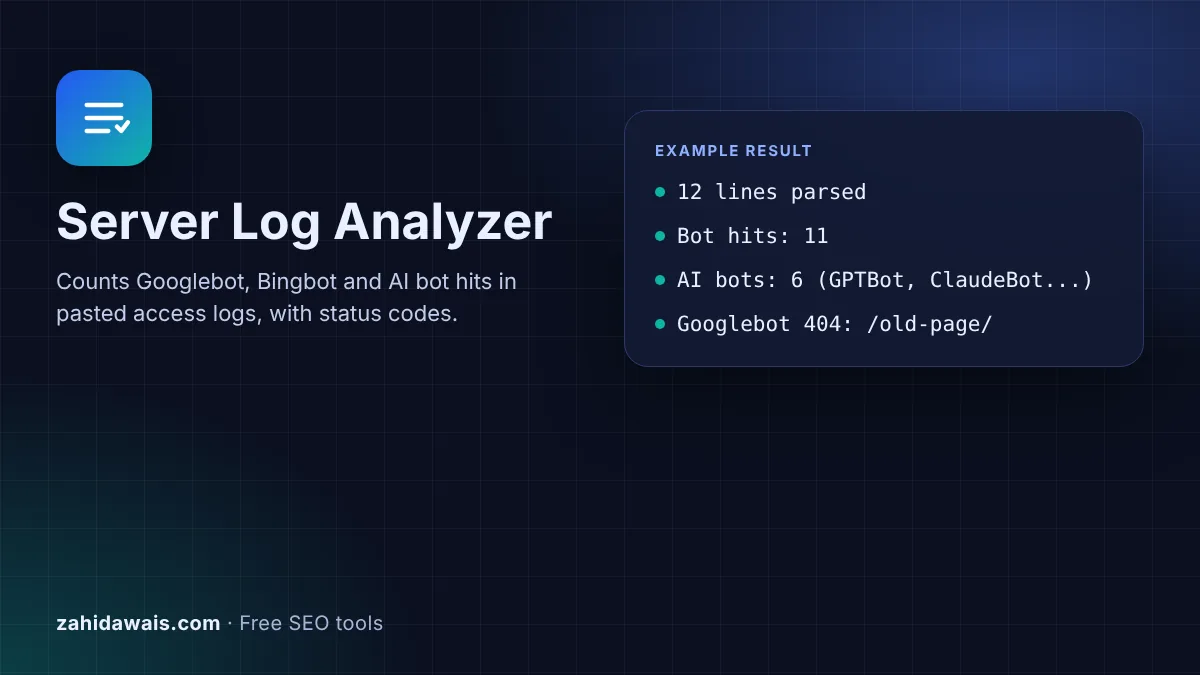
Paste access log lines and see which search and AI bots crawl your site, what they request and which status codes they get.
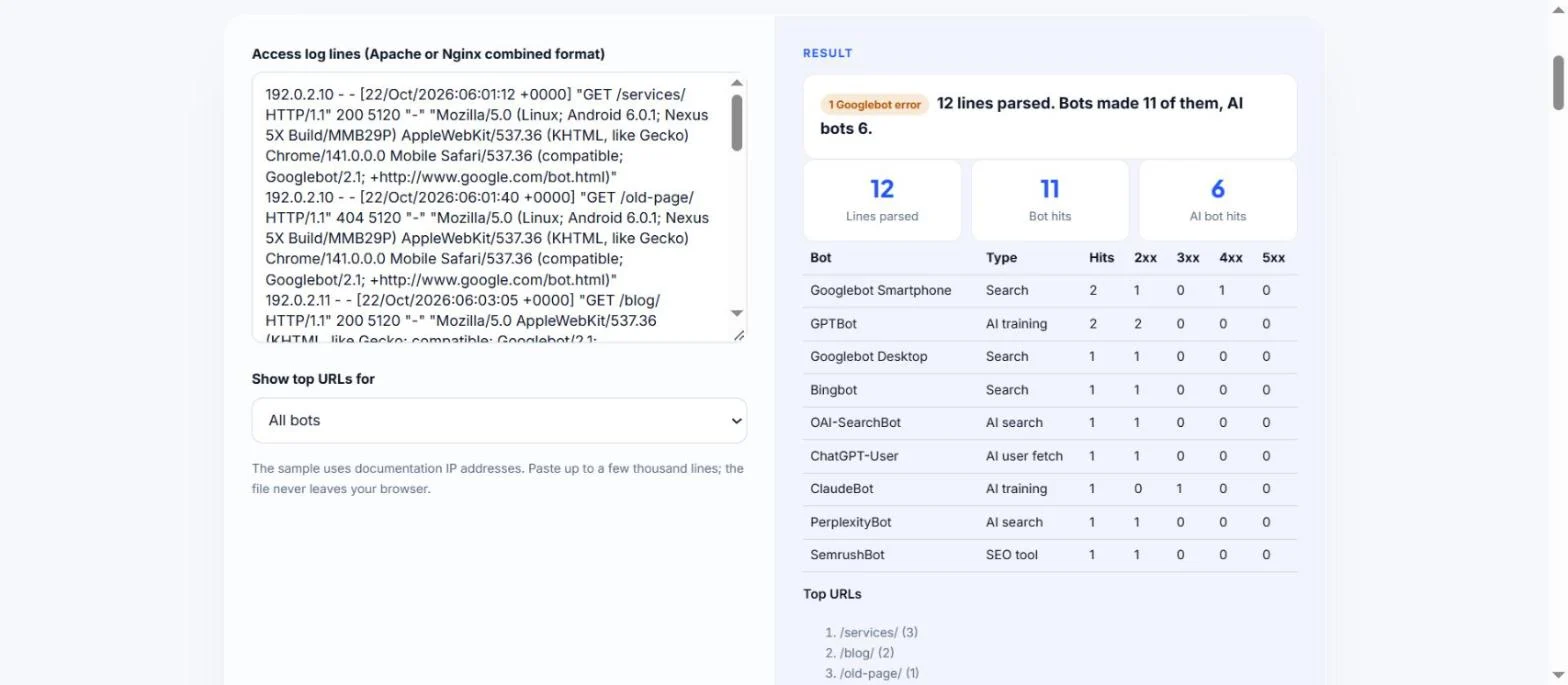
The sample uses documentation IP addresses. Paste up to a few thousand lines; the file never leaves your browser.
| Bot | Type | Hits | 2xx | 3xx | 4xx | 5xx |
|---|
The free server log analyzer reads raw access log lines and shows which search engine and AI bots visited, how often, which URLs they asked for and which status codes they received. It runs in your browser, so your logs stay private.
A server log analyzer parses access log lines and groups requests by user agent, so you can see how often Googlebot, Bingbot and AI bots like GPTBot, ClaudeBot and PerplexityBot visit, and which URLs return errors. User agents can be faked, so verify Googlebot IPs with a reverse DNS lookup as Google describes.
A server log analyzer is a tool that reads the access log your web server writes for every request and turns it into a summary. Each line records the IP address, time, requested URL, status code and user agent. Grouping lines by user agent shows how search engines and AI systems actually crawl your site, which tools like Search Console only show in part.
Logs are the most direct record of AI bot visits. OpenAI documents separate agents for training, search and user actions: GPTBot, OAI-SearchBot and ChatGPT-User. Anthropic and Perplexity document their own bots too. This analyzer labels each one by purpose, so you can see whether AI search bots reach the pages you want cited.
Run a reverse DNS lookup on the IP address, check that the name ends in googlebot.com, google.com or googleusercontent.com, then run a forward lookup on that name and confirm it returns the same IP. These are the steps in Google's verifying Googlebot guide. Google also publishes its crawler IP ranges as JSON files for automatic checks. The tool lists every IP that claims to be Googlebot so you can check them quickly.
The main ones are OpenAI's GPTBot (training), OAI-SearchBot (ChatGPT search) and ChatGPT-User (user requests), Anthropic's ClaudeBot, Claude-SearchBot and Claude-User, and Perplexity's PerplexityBot and Perplexity-User. Google-Extended and Applebot-Extended never appear in logs: Google says Google-Extended "doesn't have a separate HTTP request user agent string", and Apple says Applebot-Extended "does not crawl webpages". Both are only robots.txt controls.
4xx codes mean the bot asked for a page that is missing or blocked, often an old URL still linked somewhere. 5xx codes mean your server failed to answer, which can slow crawling. Fix 5xx errors first, then redirect or remove links to 4xx URLs that matter. A few 404s for URLs that never existed are normal and are not a problem in themselves.
| User agent token | Owner | Purpose | Follows robots.txt? |
|---|---|---|---|
| Googlebot | Google Search crawling | Yes | |
| Bingbot | Microsoft | Bing search crawling | Yes |
| GPTBot | OpenAI | Content that may train models | Controlled by robots.txt |
| OAI-SearchBot | OpenAI | ChatGPT search results | Controlled by robots.txt |
| ChatGPT-User | OpenAI | Pages a user asks ChatGPT to visit | May not apply, per OpenAI |
| ClaudeBot / Claude-SearchBot / Claude-User | Anthropic | Training / search / user requests | Controlled by robots.txt |
| PerplexityBot / Perplexity-User | Perplexity | Search / user requests | Perplexity-User generally ignores it |
Example: the default sample has 12 log lines. The analyzer counts 11 bot hits and 1 visit from a normal Chrome browser. Of the bot hits, 6 come from AI bots: GPTBot 2, OAI-SearchBot 1, ChatGPT-User 1, ClaudeBot 1 and PerplexityBot 1. Googlebot Smartphone made 2 requests, and one of them, /old-page/, returned 404, so the result shows 1 Googlebot error. The verification box lists 192.0.2.10 and 192.0.2.11 with host commands to confirm they really belong to Google.
Most hosts offer raw access logs in the control panel, often under logs, statistics or metrics. Some only keep a few days, so download them regularly. Your developer can also export them from the server or from a CDN if you use one.
It reads the common and combined formats used by Apache and Nginx by default. The combined format adds the referrer and user agent, which the tool needs to identify bots. Custom formats with fields in a different order will be skipped.
No. The analyzer runs entirely in your browser with JavaScript. Log lines contain visitor IP addresses, so keeping them on your device is the safer option. Nothing is sent or stored.
Yes. Any client can send any user agent string, and Google warns about requests claiming to be from Google. That is why you should verify Googlebot IPs with reverse and forward DNS lookups before acting on the numbers.
GPTBot crawls on its own schedule, while ChatGPT-User only visits when a person asks ChatGPT to open your page. Few or no ChatGPT-User hits simply means users have not asked ChatGPT to visit your pages in that period.
A day or a week of logs is enough for most small sites. Very large files of hundreds of thousands of lines can slow the browser, so filter to bot lines first or paste a sample from a busy day.
Checked 22 Oct 2026. Facts checked against these official pages. Read how I check facts in my editorial policy.
Checks a pasted robots.txt against 14 search and AI bots and shows the deciding rule.
An AI bot user agent checker is a tool that scans user agent strings for the documented tokens of AI crawlers…
A user agent parser is a tool that turns a raw User-Agent string into readable parts. It matches known tokens…
Send your website and I will check it for you, free.
One short email when something new goes live: articles, free SEO tools, package updates, discounts and price alerts. No spam, unsubscribe in one click.