Local SEO
Google Review QR Code: How to Make and Use One
How to make a Google review QR code, where to place it, what to write next to it, and which of Google's…
Read articleFlag the review under the right policy, track it in Google's tool, and save your one appeal for when you have evidence.
This guide shows you how to report fake Google reviews the right way, which policy to choose so your report has the best chance, how to appeal a decision, and what to do while you wait.
To report fake Google reviews, open your Business Profile, select Read reviews, choose the Report icon next to the review and pick the policy it breaks. For better tracking, use Google’s Reviews Management Tool, which shows the status and lets you make a one-time appeal of up to 10 reviews.
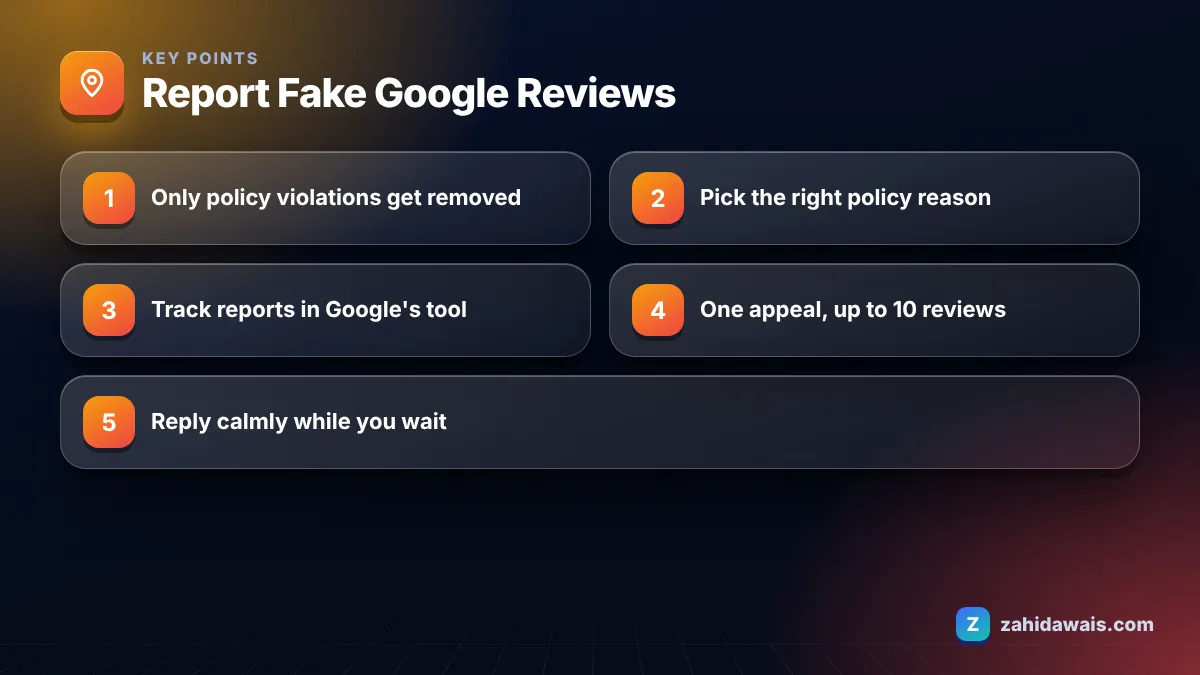
Google removes reviews that break its content policies, not reviews that are simply negative or unfair. Its help page on reporting inappropriate reviews asks owners not to report a review just because they disagree with it or dislike it, and says Google does not step into disputes between businesses and customers.
The policies that matter most for fake reviews are set out in Google’s prohibited and restricted content policy for Maps. In plain terms, these are the patterns that can get a review removed:
A one-star review from a real customer who had a bad experience is not fake, even if you think it is harsh. That one needs a reply, not a report.
You report a competitor’s fake review by flagging it under the policy it breaks, which is usually conflict of interest or fake engagement. There are two ways to do it.
Method 1: from your Business Profile
Method 2: the Reviews Management Tool
I recommend the tool for clients because it shows the status of each report and gives you the appeal option later. You can also report the reviewer’s profile in the Google Maps app, so Google looks at their wider activity. That helps when one account has left a burst of negative reviews across several businesses in your area.
Google’s report flow does not ask you to upload proof, so your evidence works by helping you choose the right policy and by supporting an appeal. Before reporting, I build a short note for each suspicious review.
| Red flag | How to check | Policy to choose |
|---|---|---|
| No record of this customer | Search bookings, invoices and CRM by name and date | Fake engagement |
| Reviewer works for a competitor | Check the reviewer name and their other reviews | Conflict of interest |
| Same text on other businesses | Search a phrase from the review in quotes | Spam or repetitive content |
| Burst of one-star reviews in one day | Compare dates against your normal review pace | Fake engagement |
| Review is about something you do not offer | Compare with your services list | Off-topic |
| Insults to a named staff member | Read the text carefully | Harassment or profanity |
Keep screenshots with dates. If the first report fails, this record makes the appeal clear and specific instead of emotional.
Google says review evaluation typically takes several days and does not promise a fixed timeframe. In the Reviews Management Tool you will see one of these statuses:
To appeal, go to the status and appeal options in the tool, select Appeal eligible reviews, choose up to 10 reviews, then submit the form. If the review breaks policy it is removed. If not, it stays live. Because the appeal is one time only, I always wait until I have my evidence notes ready before I use it.
Reporting the same review again and again does not help. Neither does asking friends to flag it.
Avoid anything that puts your own profile on the wrong side of the same policies you are asking Google to enforce. Under stress, owners sometimes make their situation worse, and I have had to help clients recover from these reactions more than from the original attack.
Keep doing what genuine businesses do: ask every real customer for a review with your review link, and reply to new reviews. Over time, steady genuine reviews matter far more than a handful of fake ones.
Possibly, but that is a legal question that depends on your country, the content of the review and whether the author can be identified, so speak to a qualified lawyer before taking any step. I am an SEO, not a lawyer, and nothing here is legal advice.
From a practical point of view, legal action is slow and expensive, and many fake reviewers are anonymous. Most businesses get a better result from the Google process, a calm public reply and a steady flow of genuine reviews. If someone threatens negative reviews unless you pay them, that is extortion. Google’s help page links to a separate guide for reporting that, and you may also want to involve the police.
A cleaning company received five one-star reviews in one evening, none matching any booking. Step 1: check records, no customers with those names. Step 2: one reviewer had also left five-star reviews for a competitor across town. Step 3: report all five in the Reviews Management Tool, choosing conflict of interest for that reviewer and fake engagement for the rest, and report the reviewer profile in Maps. Step 4: reply politely to each, stating there is no record of the job and inviting contact. Two were removed after the first reports and two more after the appeal. One stayed, and the reply made the situation clear to readers.
Fake reviews hurt most when you have few genuine ones. Building a steady review flow is part of my local SEO services, and my home services SEO page shows how that fits a trade business. If you are dealing with an attack right now, contact me and I will help you sort the reviews into report, appeal and reply.
Only if it breaks Google’s content policies. Google asks owners not to report reviews just because they disagree with or dislike them, and it does not settle disputes between businesses and customers. For a genuine but harsh review, write a calm, helpful public reply.
Google offers a one-time appeal when a report is reviewed and no policy violation is found. In the Reviews Management Tool you can include up to 10 eligible reviews in an appeal. Prepare clear evidence notes before you use it.
No. Reporting the same review repeatedly or asking friends to flag it does not change Google’s policy check. Choose the most accurate policy reason the first time, track the status in the Reviews Management Tool, and use the appeal if needed.
Yes. In the Google Maps app you can open the reviewer’s profile from your reviews and report it, choosing a reason. Google then reviews that user’s activity for policy violations, which helps when one account targets several local businesses.
Usually yes, briefly and politely. Say you have no record of the visit and invite the person to contact you directly. Future customers reading it see a calm, professional business rather than an argument. Never share private customer details or accuse anyone by name.
That is extortion. Do not pay. Google’s review reporting help links to a separate guide for reporting extortion scams involving negative reviews, and depending on where you are, you may also want to contact the police.
Facts checked against these official pages. Read how I check facts in my editorial policy.
How to make a Google review QR code, where to place it, what to write next to it, and which of Google's…
Read article
Seven ready-to-adapt replies for common complaints, with the structure that keeps every response short, calm and useful.
Read article
Consistent name, address and phone details help Google and customers trust the right information. Here is how to audit yours.
Read articleSend your website and I will reply with a free audit.