Google Search Console errors
Unparsable Structured Data in Search Console: How to Find and Fix It
What each parsing error in the report means, how to trace it back to one template, and how to test and validate the repaired markup.
Read articleWhy your server tells Googlebot it is forbidden, how to find the firewall or rule responsible, and how to confirm Google can crawl again.
This guide shows you how to diagnose and fix blocked due to access forbidden 403 in Google Search Console, including firewall, CDN and security plugin causes that most short guides skip. When I run technical checks for clients, a 403 for Googlebot is usually a security tool doing its job a little too well.
Blocked due to access forbidden 403 means your server answered Googlebot with HTTP 403, so the page will not be indexed. Googlebot never sends login credentials, so the 403 is coming from a firewall, CDN rule, security plugin or server setting. Allow verified Googlebot, then test live and validate.
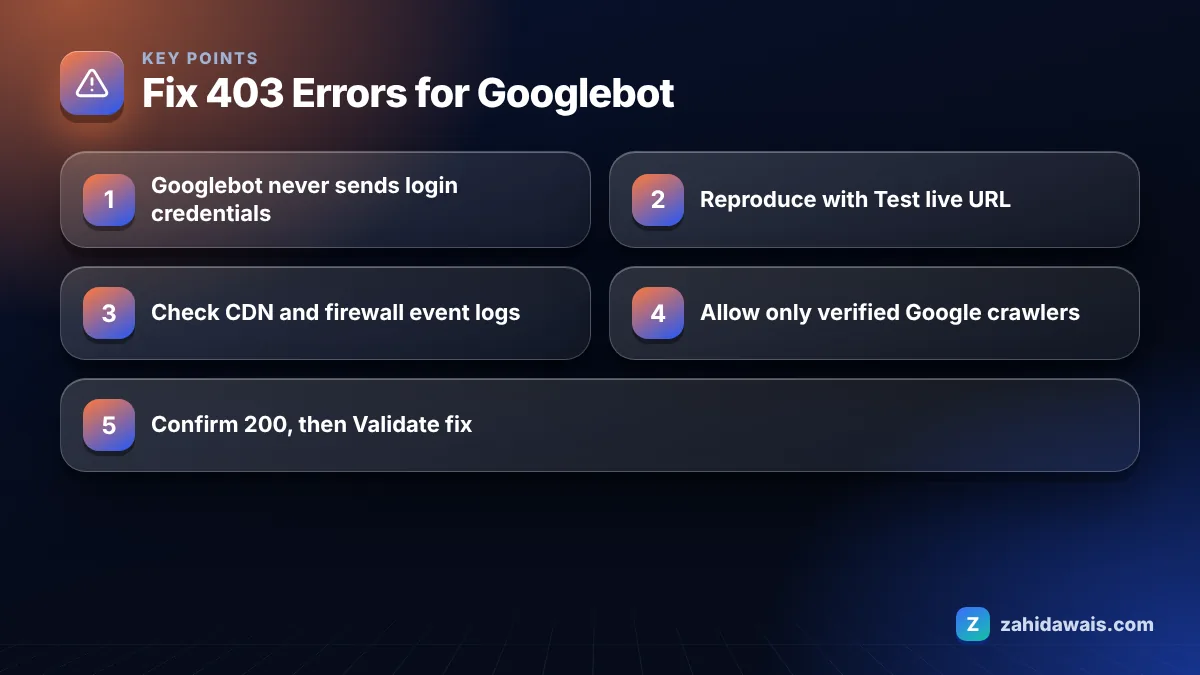
Googlebot gets a 403 because something between Google and your page decided to refuse the request, even though a normal visitor may see the page fine. Google’s Page indexing report help explains that HTTP 403 means the user agent provided credentials but was not granted access, and that Googlebot never provides credentials, so your server is returning the error incorrectly.
The common sources I find, roughly in order of how often they appear:
Deny from rule in .htaccess, wrong folder permissions, or a missing index file in a directory.Yes, a 403 stops the affected page from being indexed, and pages that were already indexed are removed once Google keeps receiving the error. Google’s documentation on how HTTP status codes affect its crawlers says all 4xx errors except 429 are treated the same, so a 403 has the same indexing effect as a 404.
The same page also warns against using 401 or 403 to slow Googlebot down. If your real problem is server load, a 429 or 503 response for a short time is the signal Google understands as “crawl slower”, not a 403.
Use this decision table to decide what each affected URL should return:
| URL type | Should Google index it? | Correct response |
|---|---|---|
| Public page blocked by a firewall | Yes | 200 for verified Googlebot |
| Members only or account page | No | Login page or 401, and keep it out of the sitemap |
| Admin or system folder | No | 403 is fine, just do not link to it or list it in a sitemap |
| Deleted content | No | 404 or 410, or a 301 to a close replacement |
| Server overloaded | Later | Temporary 503 or 429, not 403 |
You fix it by finding which layer returns the 403 to Googlebot and adding an exception for verified Google crawlers, or by changing the response for URLs that should not be crawled at all. Follow these steps.
curl -I -A "Googlebot" https://example.com/page/. A 403 here points to a user agent rule. A 200 here but a 403 in the live test points to an IP or bot score rule.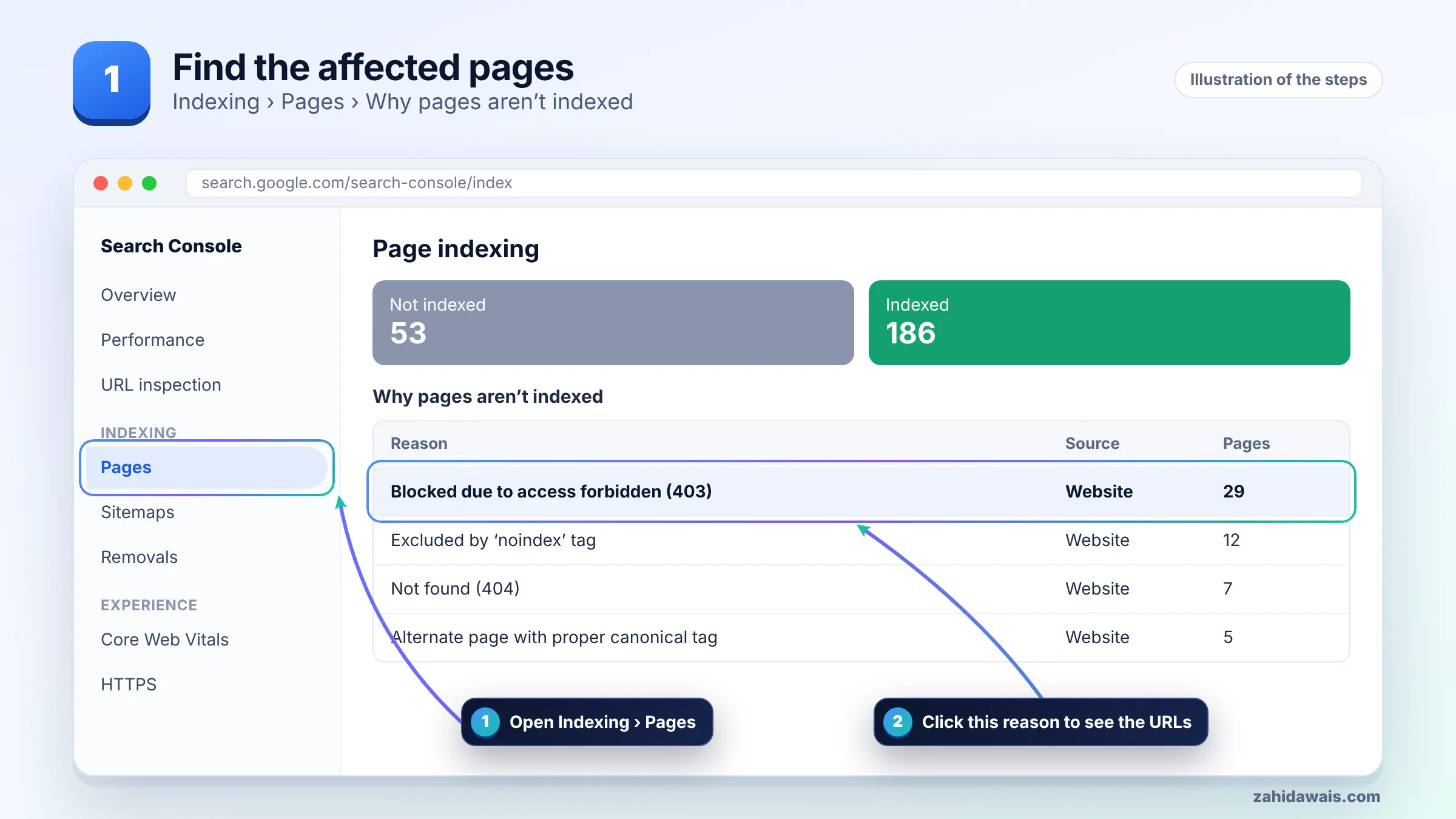
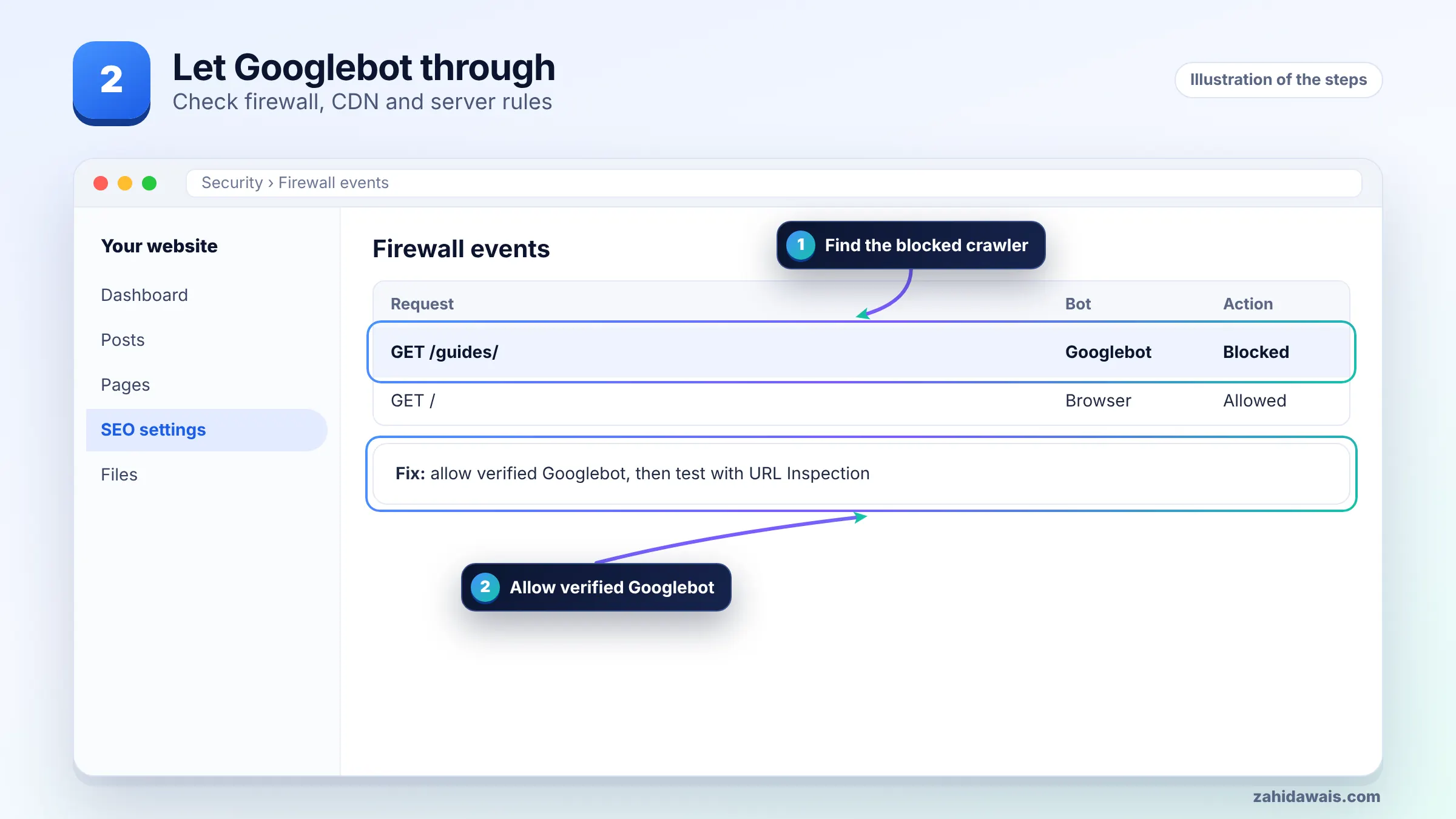
To stop a CDN such as Cloudflare from blocking Googlebot, find the specific security event that blocked the request and exempt verified search engine crawlers from that rule, instead of turning off protection completely. In the security events log, filter by the Googlebot user agent and look at which rule or feature took action.
After each change, run the live test again. One change at a time makes it clear which rule was responsible.
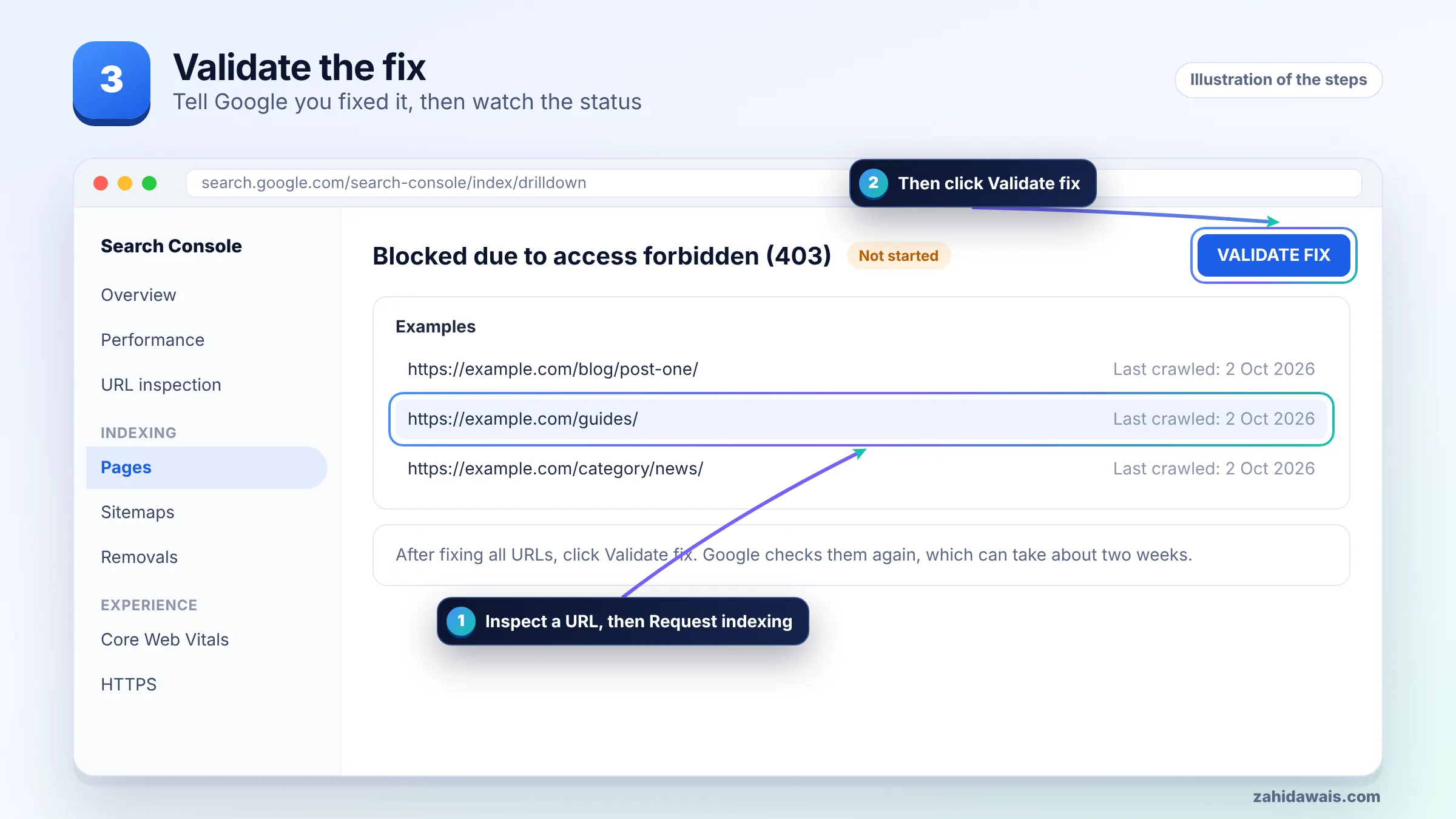
You validate by confirming a 200 response in the live test for a sample of fixed URLs and then clicking Validate fix on the 403 reason. Testing first matters, because validation fails if Google still hits the block on enough URLs.
Also check the Crawl stats report under Settings in Search Console for a drop in 403 responses over the following days.
A typical case, with numbers for illustration: a service site shows 85 URLs with a 403. Normal browsers load every page. curl with a Googlebot user agent from a home connection returns 200, but the Search Console live test returns 403. That rules out a user agent rule and points to IP based filtering.
The CDN security log shows 85 blocked requests from Google IPs, all from a rate limit rule set to 30 requests per minute on the whole site. The fix: exempt verified bots from that rule and keep it for everyone else. The next live test returns 200, validation is started, and the protection against real abuse stays in place.
If you would like a second pair of eyes on firewall and crawl settings, my technical SEO service covers this, and the Search Console errors guide explains the related 401 and 404 statuses.
It means Google requested the URL and your server replied with HTTP 403 Forbidden, so Google will not index it. Because Googlebot never sends credentials, Google says the server is returning the error incorrectly when the page is meant to be public.
They are separate reasons in the Page indexing report, but Google treats all 4xx errors except 429 the same for indexing. A 401 means the page asked for authorization, while a 403 means access was refused outright.
Yes. Rate limiting, country blocking, bot filtering and fake crawler rules in security plugins can all return 403 to Google. Check the plugin’s blocked requests log, then exempt verified Google crawlers rather than disabling the plugin.
Run a reverse DNS lookup on the IP and confirm the host ends in googlebot.com, google.com or googleusercontent.com, then do a forward lookup to confirm it matches the same IP. You can also compare the IP to Google’s published IP ranges.
No. Google’s documentation says not to use 401 or 403 to limit crawl rate. A 403 can remove pages from the index. If your server is overloaded, a temporary 503 or 429 tells Google to slow down.
There is no fixed time. Google must recrawl each URL and receive a 200. Requesting indexing helps for key pages, and Search Console validation typically takes up to about two weeks, though some cases take longer.
Facts checked against these official pages. Read how I check facts in my editorial policy.
What each parsing error in the report means, how to trace it back to one template, and how to test and validate the repaired markup.
Read article
What it means when Google indexes a URL but cannot read the page, how to see what Googlebot received, and how to fix it.
Read article
Why Google can index a URL it is not allowed to crawl, and the two clean ways to resolve the warning depending on your goal.
Read articleSend your website and I will reply with a free audit.