On-page SEO
Keyword Cannibalization Fix: How to Find and Solve It
How to spot pages competing for the same search, decide what to do with each one, and fix it without losing traffic.
Read articleReal good and bad alt text side by side, what Google recommends, and a simple formula you can apply to any image.
This guide gives you practical alt text examples for SEO, good and bad side by side, along with what Google actually recommends and a formula you can use for every image on your site. I write and fix alt text on most of my on-page projects, so the examples come from the types of images real businesses publish.
Good alt text describes what the image shows in the context of the page, in a short phrase or one or two sentences. Good alt text examples for SEO avoid keyword lists, skip “image of”, and include a keyword only when it truly describes the image. Decorative images should use an empty alt attribute.
Good alt text is a short, specific description of what the image shows and why it is on the page, written so someone who cannot see it gets the same information. Google’s own example is alt=”Dalmatian puppy playing fetch”.
Google’s image SEO best practices call alt text the most important attribute for giving Google more information about an image. The same page shows three versions for one photo: missing alt text (bad), a stuffed list like “puppy dog baby dog pup pups puppies doggies” (bad), and “Dalmatian puppy playing fetch” (best). That one example teaches most of what you need.
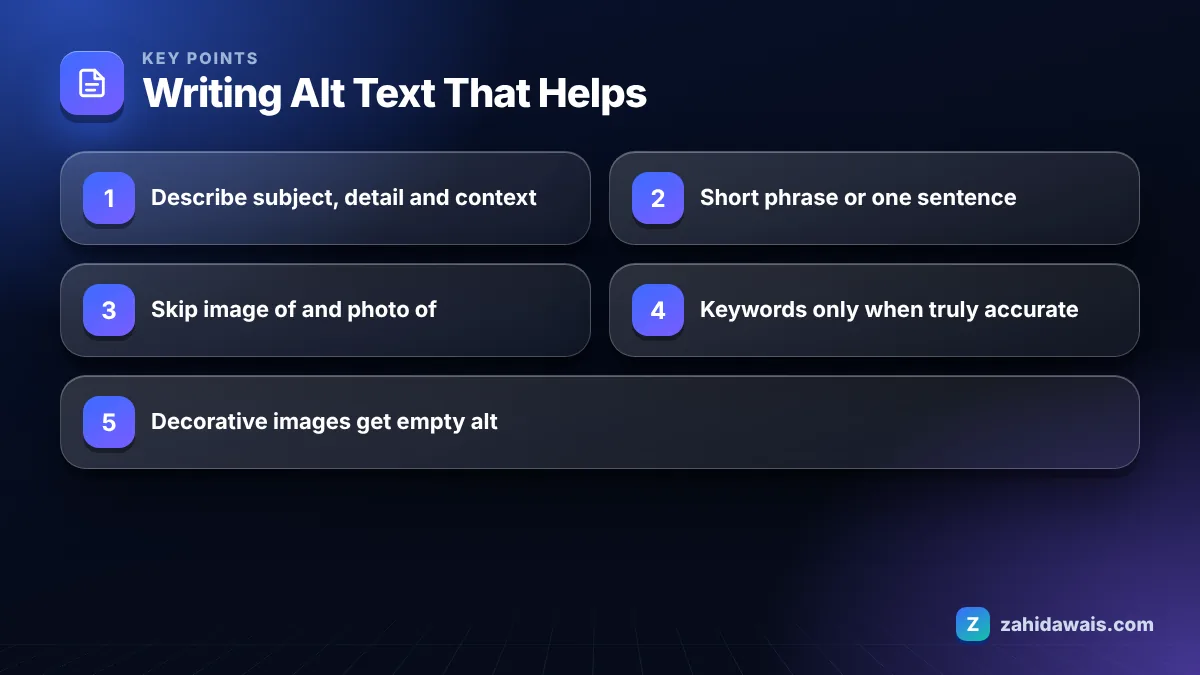
Google’s technical writing course on writing helpful alt text adds useful rules: use a short phrase or one or two sentences, do not add words like “Image of” or “Photo of”, explain the image in the context of the surrounding text, and use an empty alt attribute for decorative images.
My formula is simple: subject + key detail + context. Who or what is in the image, what is important about it, and why it matters on this page.
The clearest way to learn alt text is to compare weak versions with improved ones for the same image. This table covers the image types I see most on business sites.
| Image | Bad alt text | Good alt text |
|---|---|---|
| Product photo of a sofa | sofa | Grey three seater fabric sofa with oak legs |
| Same sofa, stuffed | sofa cheap sofa best sofa buy sofa online UK | Grey three seater sofa shown in a bright living room |
| Team photo on About page | image of our team | Six members of the support team outside the Leeds office |
| Chart in a blog post | chart | Bar chart of monthly organic clicks rising from January to June |
| Screenshot in a tutorial | screenshot | Search Console Pages report with the Not indexed filter selected |
| Before and after photo | before after | Kitchen before and after renovation, old tiles replaced with white panels |
| Recipe image | food photo | Bowl of chicken biryani topped with fried onions and coriander |
| Logo linking to home page | logo | Acme Plumbing home |
| Icon next to text that says “Phone” | phone icon blue | Empty alt (alt=””), because the text already says it |
| Decorative background swirl | abstract design element | Empty alt (alt=””) |
| Infographic | infographic about SEO | Infographic: five steps to fix a slow WordPress site, summarized below |
| Map image of a location | map | Map showing the clinic two minutes from Oxford Road station |
Notice two patterns. Good alt text is specific (three seater, oak legs, Leeds office), and it changes with the job of the image. A linked logo describes where the link goes, not what the logo looks like.
Alt text should be as long as it needs to be to describe the image, which for most images means a short phrase or one or two sentences. Google does not set a character limit.
The Google technical writing guidance says to use a short phrase or one or two sentences and explains that long descriptions slow down screen reader users. In practice, most of the alt text I write is between about 5 and 15 words. If an image needs more, such as a complex chart, give it a short alt text and explain the details in the body text, a caption or a linked page.
A few length rules I use:
Alt text should include a keyword only when the keyword honestly describes the image. Forcing keywords into alt text does not help and can count as keyword stuffing.
Google explicitly warns against filling alt attributes with keywords, because it creates a negative user experience and may cause the site to be seen as spam. On a page about “emergency plumber in Leeds”, a photo of a technician fixing a boiler can honestly say “Plumber repairing a boiler during an emergency call out in Leeds” if that is what the photo shows. It should not say “emergency plumber Leeds best emergency plumber cheap”.
A good test: read the alt text aloud as if describing the photo to someone on the phone. If it sounds natural, it is fine. If it sounds like a list, rewrite it.
Decorative images need an alt attribute, but it should be empty (alt=””), so screen readers skip them. Leaving the alt attribute out entirely is different: some screen readers then read the filename aloud.
An image is decorative when removing it would not change the meaning of the page: background patterns, dividers, purely visual flourishes, or an icon next to text that already says the same thing. When in doubt, ask whether a reader who cannot see the image would miss any information. If not, use empty alt.
In WordPress, leaving the alt field blank in the block editor typically outputs alt=”” for that image. Check your theme and page builder, as some output no alt attribute at all, which is a quick fix in the template. You can spot missing alt attributes across a page with a crawler or with the browser tools listed on my free SEO tools page.
A dental clinic’s “Teeth Whitening” page had 8 images. The audit found: 3 with no alt attribute, 3 with alt=”teeth whitening dentist teeth whitening price”, 1 with alt=”IMG_2231″ and 1 decorative wave graphic with alt=”teeth whitening”.
The rewrite: the hero photo became “Dentist checking the shade of a patient’s teeth after whitening”. The 3 before and after photos became specific descriptions such as “Lower teeth before and after a two week home whitening course”. The price table screenshot was replaced by an HTML table, so it needed no alt at all. The wave graphic got alt=””. The clinic logo in the header became “Smile Dental Clinic home”. Total time: about 20 minutes. The page now describes every meaningful image honestly, mentions whitening where the photos actually show it, and no longer repeats a keyword list.
Alt text is one part of image and media optimization, which I cover in my content and media SEO service and check on every on-page SEO project. If terms like alt attribute or keyword stuffing are new to you, the SEO glossary explains them in plain words.
Google says alt text is the most important attribute for giving it more information about an image, and it helps Google understand images for Google Images and the page. It is a helpful signal, not a shortcut to rankings, so write it for people first.
Google’s technical writing guidance suggests capitalizing the first word and ending with a period, which gives screen readers a natural pause. For short labels like a linked logo, many sites skip the period, and that is fine.
No. Screen readers already announce that the element is an image, so words like image of or photo of add nothing. Google’s alt text guidance specifically advises leaving them out. Start with the subject instead.
Alt text replaces the image for people who cannot see it and is usually invisible on the page. A caption is visible text under the image that everyone reads. They can work together, but they should not be identical.
CSS background images cannot have an alt attribute, and Google does not index images that are only referenced in CSS. If an image carries meaning or should appear in image search, add it with an img element and proper alt text instead.
Run your site through an SEO crawler, which lists images without an alt attribute, or inspect a page in the browser and search the HTML for img tags. Fix templates first, because one theme setting can affect hundreds of pages.
Facts checked against these official pages. Read how I check facts in my editorial policy.
How to spot pages competing for the same search, decide what to do with each one, and fix it without losing traffic.
Read article
E-E-A-T is how Google's quality raters judge whether content comes from someone who knows the topic. It is not a single ranking factor, but the signals behind it shape what ranks.
Read article
Good keyword research finds searches your buyers make that your site can realistically win. Here is the process I use, from seed list to a prioritised plan.
Read articleSend your website and I will reply with a free audit.